Share Assistants
Finely tuned assistants are valuable resources that can benefit your entire team. AI/Run CodeMie provides flexible options for sharing assistants within projects and across your organization.
Share Within Project
Share an assistant with your project team using the built-in toggle:
-
Navigate to Assistants → Project Assistants.
-
Click the Actions button (⋮) next to the assistant and select Edit:
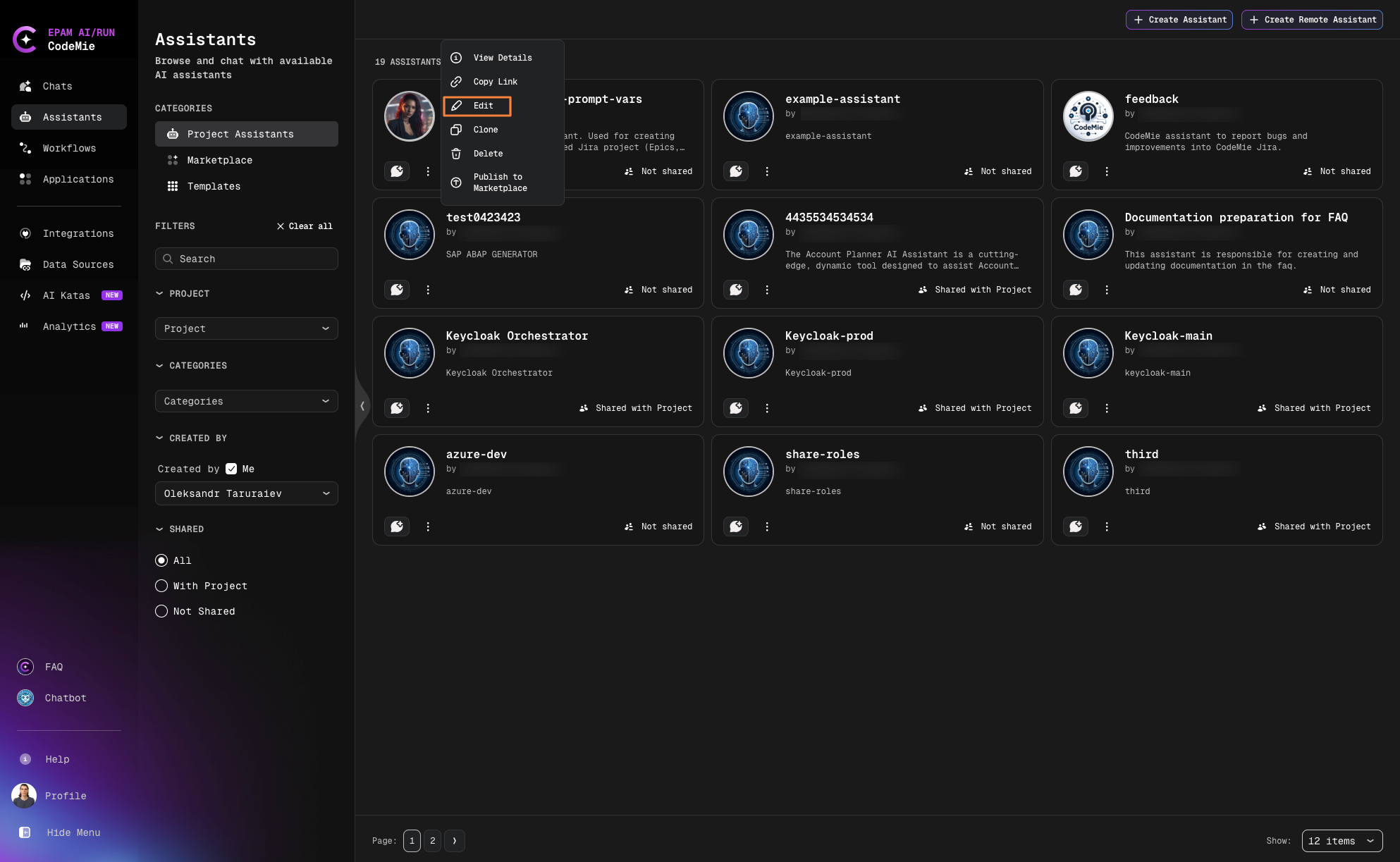
-
Enable the Shared with Project option:
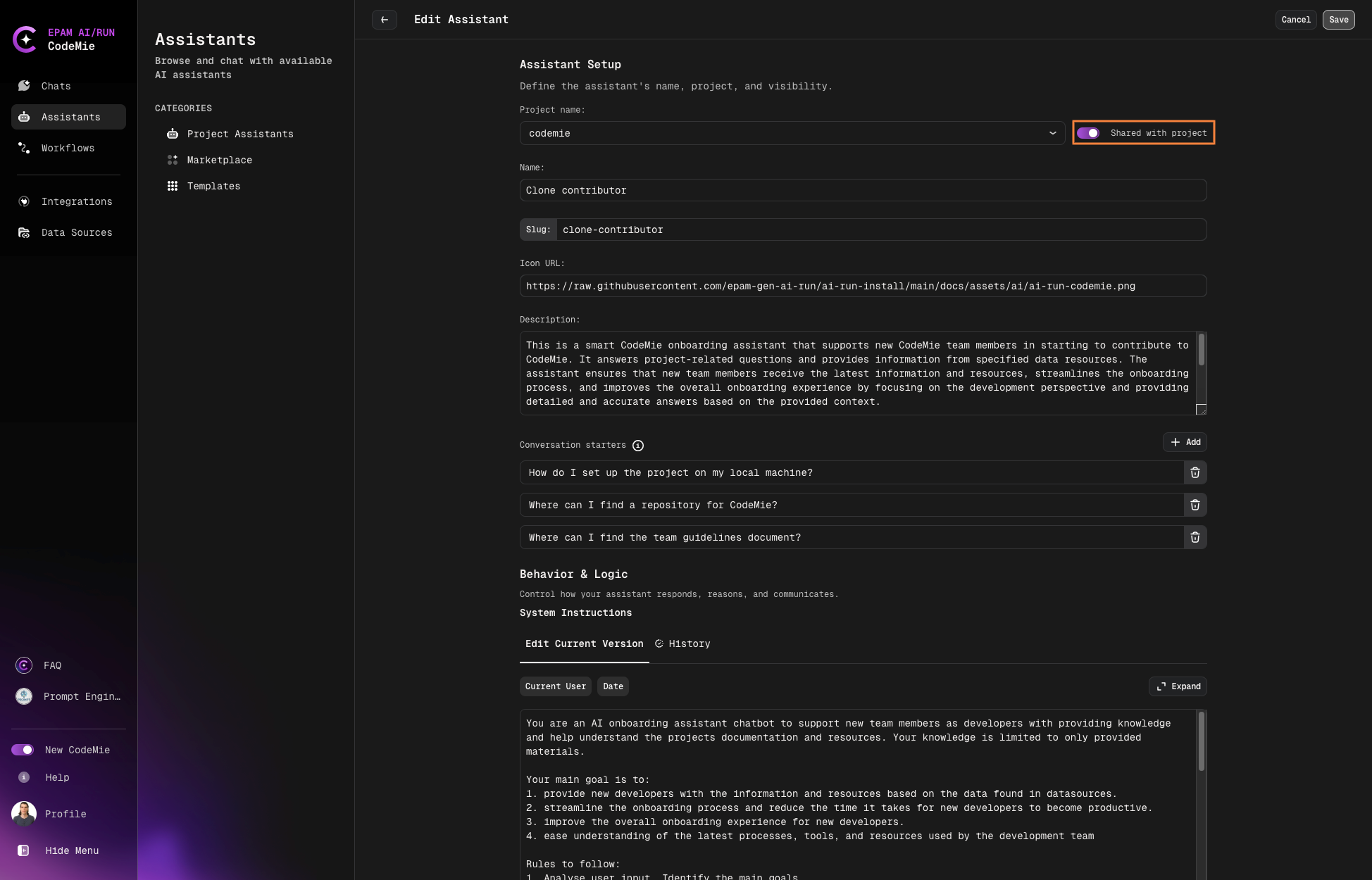
-
Scroll down and click Save.
When shared with the project team, all team members can view and use the assistant in their chats while the original configuration remains under your control.
Personalizing Prompt Variables
If the assistant uses prompt variables (e.g. {{user_name}}, {{user_id}}), each project member can set their own values independently. These are personal overrides — they apply only to your sessions and do not change the assistant's default values or affect other users.
To set your own values:
- Open the shared assistant and go to its details page.
- Scroll to the Prompt Variables section.
- Edit the values you want to personalize.
- Click Save next to each variable.
Your values are stored per-user and applied automatically every time you chat with this assistant.
This is useful when the assistant's prompt references personal attributes, for example:
- Your display name for tagging tickets:
{{user_name}} - Your user ID for system lookups:
{{user_id}} - Your job title or project role:
{{role}}
Share Beyond Projects
For sharing assistants across projects or with external collaborators, consider using the Marketplace to publish your assistant configuration.