Release Notes
The Release Notes page provides an overview of the latest platform updates, including new features, improvements, and bug fixes shipped in each CodeMie release. It is accessible from the Help Center via the See What's New button.
Overview
Each release entry is identified by a version number and the date it was deployed. The latest release is marked with a LATEST badge. Releases are listed in reverse chronological order — the most recent version appears first.
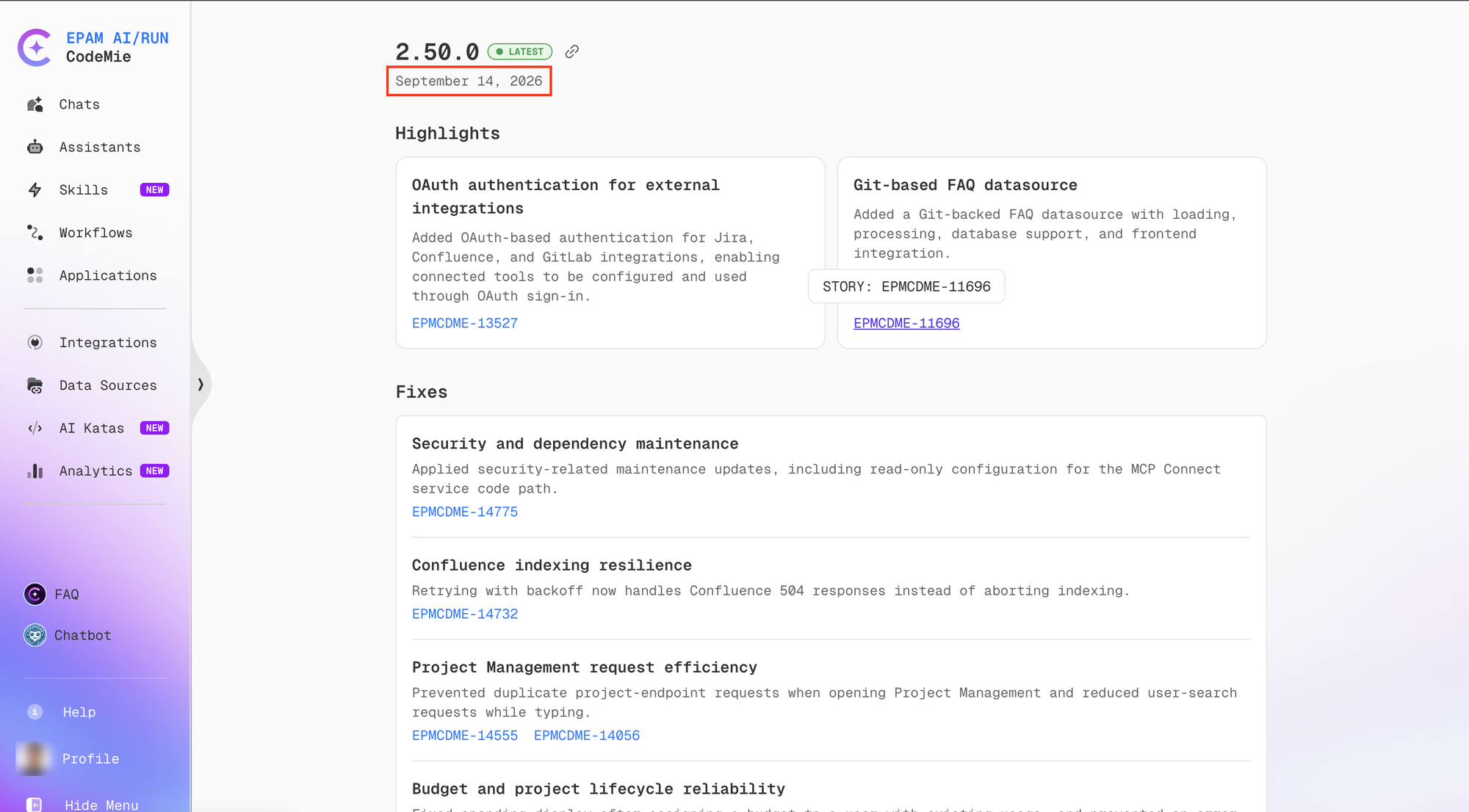
A release entry is organized into two main sections:
- Highlights — New capabilities and major improvements introduced in the release.
- Fixes — Resolved issues and stability improvements.
Each item in Highlights and Fixes includes a short description and may include a link to the relevant documentation.
Accessing Release Notes
To open the Release Notes page:
- Click Help (the question mark icon) in the bottom-left sidebar.
- On the Help Center page, locate the Product Updates section.
- Click See What's New.
Release History
The platform exposes deployment version history through the /v1/deployment-versions API endpoint. The response includes the version string and the UTC timestamp of when each version was deployed:
{
  "deployments": [
    {
      "version": "2.50.0",
      "deployedAt": "2026-09-14T08:49:31.760636Z"
    },
    {
      "version": "2.49.0",
      "deployedAt": "2026-09-10T13:17:26.813753Z"
    }
  ]
}
The in-app Release Notes page renders this data alongside the corresponding feature and fix details for each version.
Release history is limited to the versions deployed in the current environment. Earlier versions not present in the deployment history are not shown in the in-app Release Notes view.
Admin Release Notes
For information about third-party component updates and configuration changes affecting administrators, see the Admin Release Notes.