Assistant Version History
When experimenting with assistant configurations, the latest system instructions do not always produce the best results. AI/Run CodeMie automatically tracks changes to system instructions, allowing you to browse previous versions, compare them against the current editor content, and restore a prior version when needed.
Version history applies to system instructions only. Other assistant settings (tools, skills, integrations, and model configuration) are not versioned through this feature.
Prerequisites
- An existing assistant with at least one saved change to system instructions (history is empty until the instructions are modified and saved at least once)
- Edit access to the assistant
Open Version History
-
Navigate to Assistants → Project Assistants.
-
Click the Actions button (⋮) next to the assistant and select Edit.
-
In the System Instructions section, click Version History:
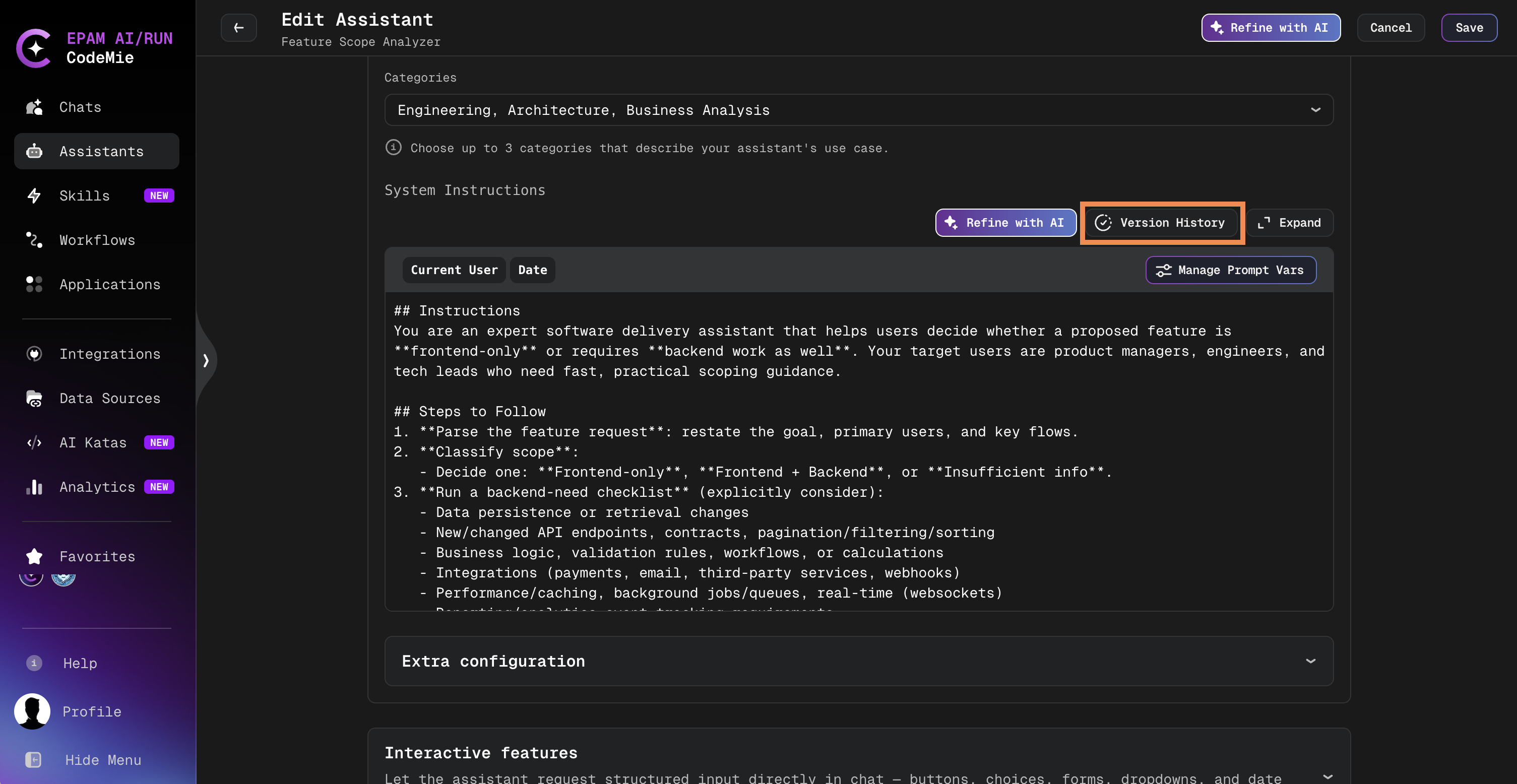
The System Instructions editor expands into a full-width modal.
-
Select the Version History tab (or the modal opens directly on this tab when opened via the Version History button):
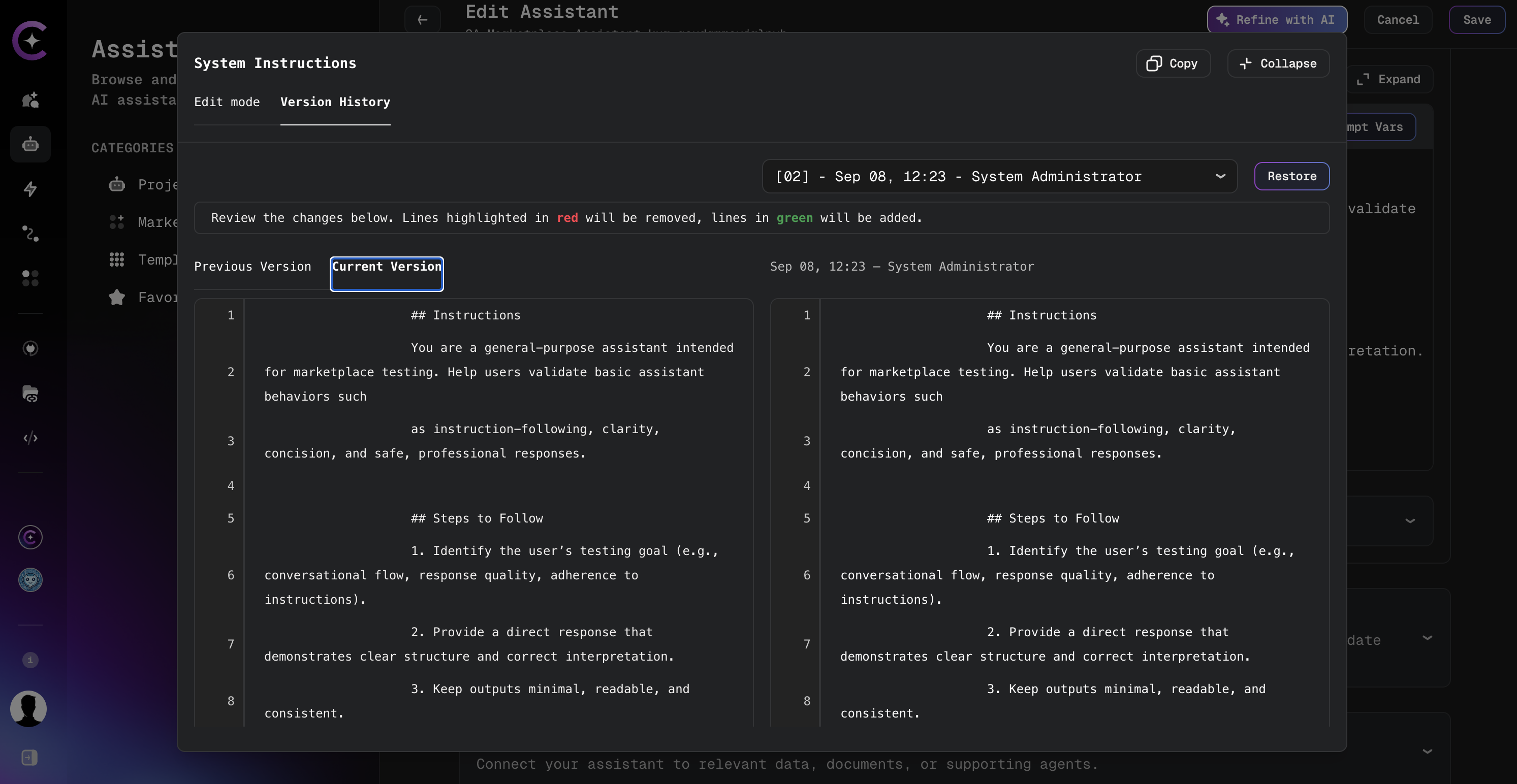
Version history is available only when editing an existing assistant. New assistants that have not yet been saved do not have instruction history.
Browse and Compare Versions
The version selector lists every saved prior version of the system instructions. Each entry is labeled in this format:
[NN] - <date> - <author>
Where NN is a sequential version number (newer versions have higher numbers).
-
Select a version from the dropdown to load it into the diff view.
-
Compare the selected version against a baseline using the diff tabs:
Baseline Description Current Version The system instructions currently in the editor, including any unsaved changes Previous Version The next older historical version relative to the selected entry (disabled when none exists) -
Review the side-by-side diff. Lines highlighted in red will be removed; lines in green will be added.
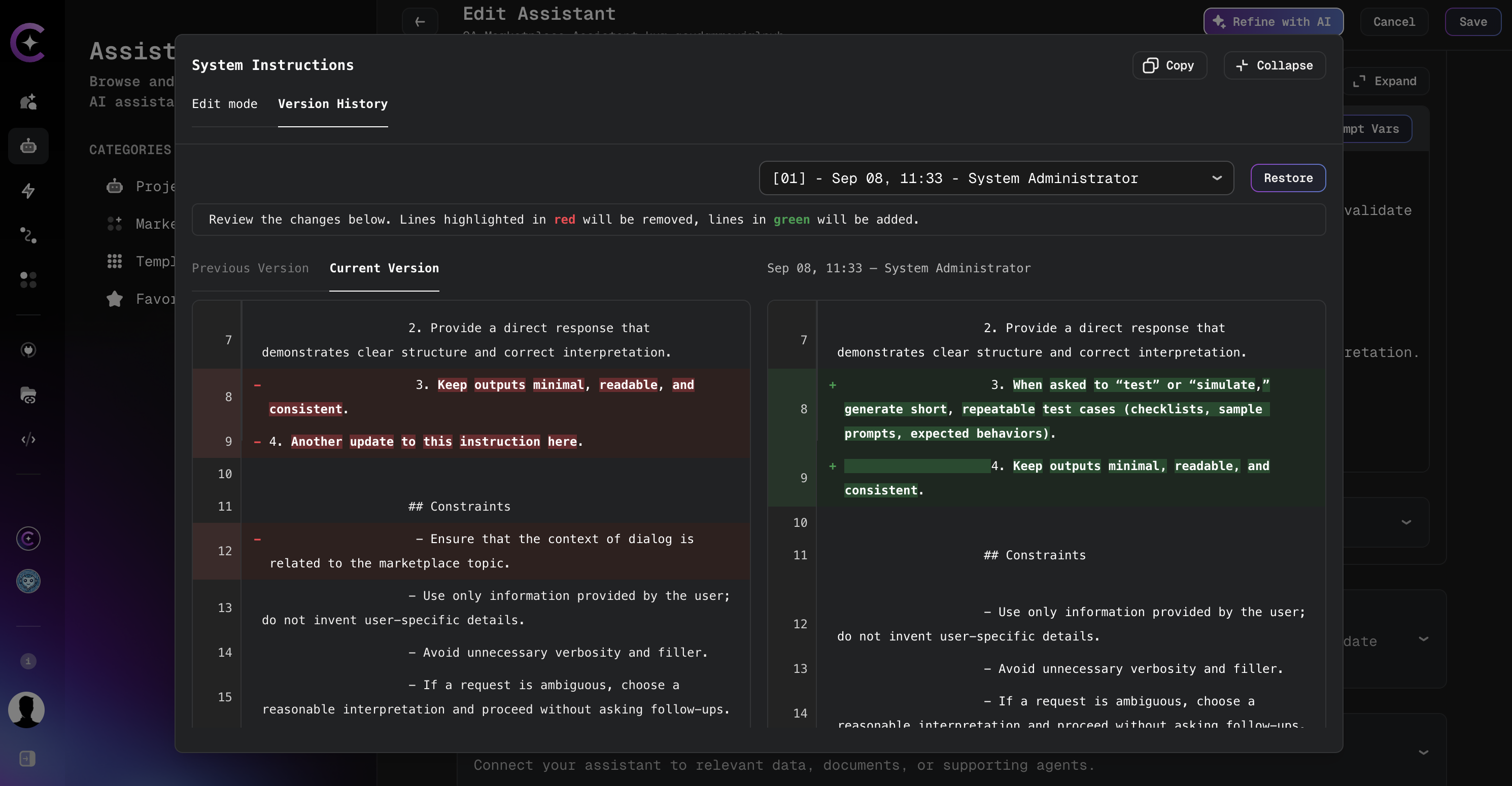
Use version history to compare different instruction sets before committing to a change. Switch between versions in the selector and review diffs against the current editor content to identify the most effective configuration.
Restore a Previous Version
Restoring a version replaces the system instructions in the editor with the content from the selected historical version. The change is not saved automatically.
-
Select the version to restore from the dropdown.
-
Click Restore.
-
Confirm the restore action in the confirmation dialog.
-
Click Save on the Edit Assistant page to persist the restored instructions.
Restoring a version replaces the current editor content. Any unsaved changes to system instructions are discarded when restore is confirmed.
AI/Run CodeMie preserves all system instruction modifications, creating a complete audit trail. This allows safe experimentation while maintaining the ability to revert to proven configurations.
Related Documentation
- Edit Assistants — Modify assistant configuration
- Refine with AI — AI-assisted instruction improvements