Schedulers
Schedulers automate the execution of CodeMie resources — Assistants, Workflows, and Data Sources — on a recurring cron-based schedule. Instead of triggering resources manually, a scheduler fires them automatically at configured intervals, maintaining a full history of every run.
Schedulers List
The Schedulers section is accessible from the left navigation. It displays all schedulers associated with the current account, showing at a glance when each last ran, what its result was, and when it is scheduled to run next.
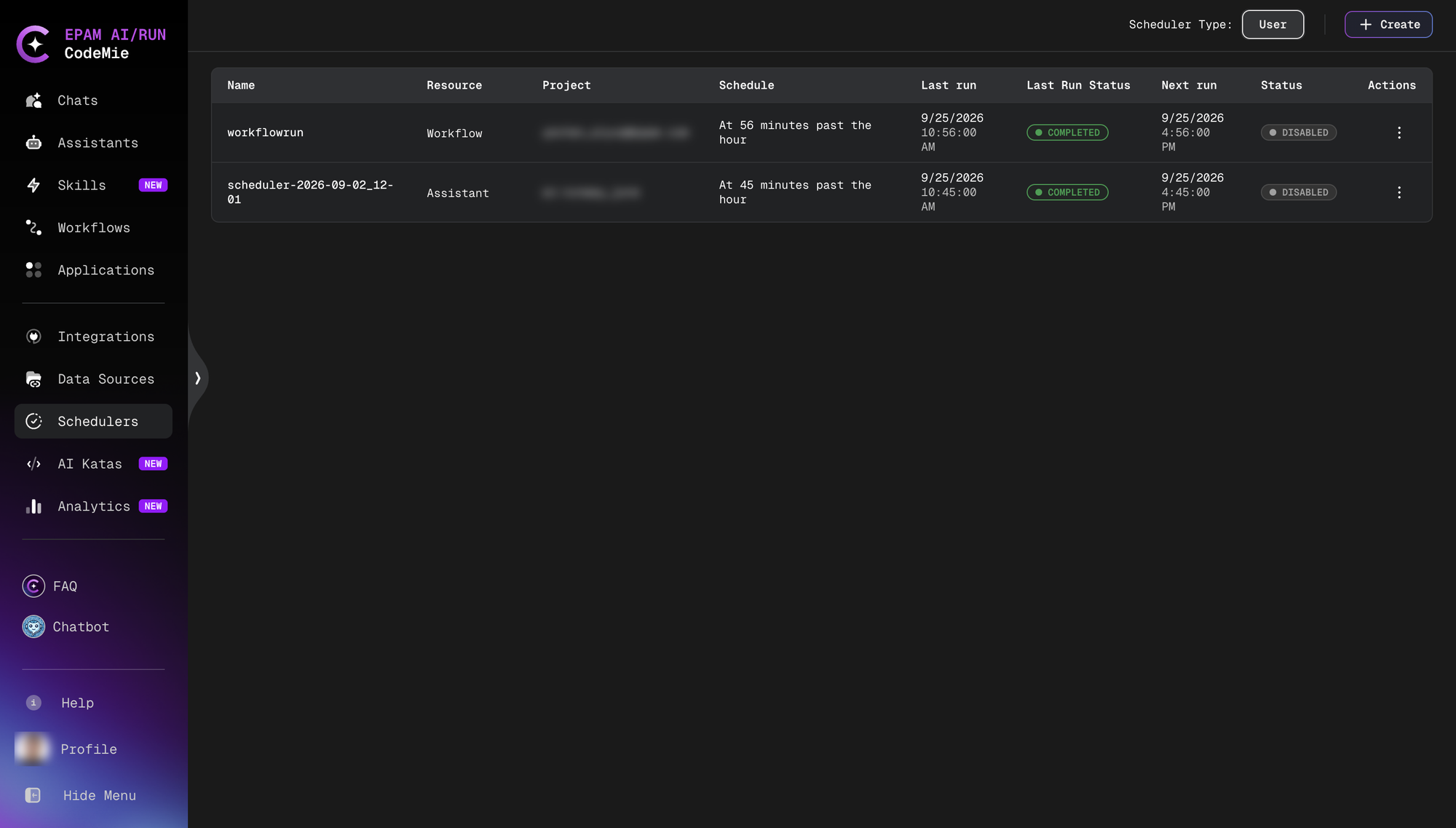
Each row in the table shows:
| Column | Description |
|---|---|
| Name | The scheduler alias (auto-generated or user-defined) |
| Resource | The type of resource being triggered (Assistant, Workflow, or Datasource) |
| Project | The project the scheduler belongs to |
| Schedule | A human-readable description of the cron schedule |
| Last run | Timestamp of the most recent execution |
| Last Run Status | Outcome of the last run (Completed or Failed) |
| Next run | Timestamp of the next scheduled execution |
| Status | Whether the scheduler is currently Enabled or Disabled |
Scheduler Type
The Scheduler Type toggle in the top-right corner switches between User schedulers (created by the current user) and other views. The default view shows user-owned schedulers.
Filtering
The left panel provides filters to narrow the list:
- Resource Type — All, Workflow, Assistant, or Datasource
- Project — Filter by project
- Resource — Filter by a specific resource
- Status — Enabled or Disabled
- Last Run Status — filter by Completed or Failed outcomes
A search field at the top of the filter panel supports searching by scheduler name.
Scheduler Actions
Each scheduler row has a ⋮ actions menu with the following options:
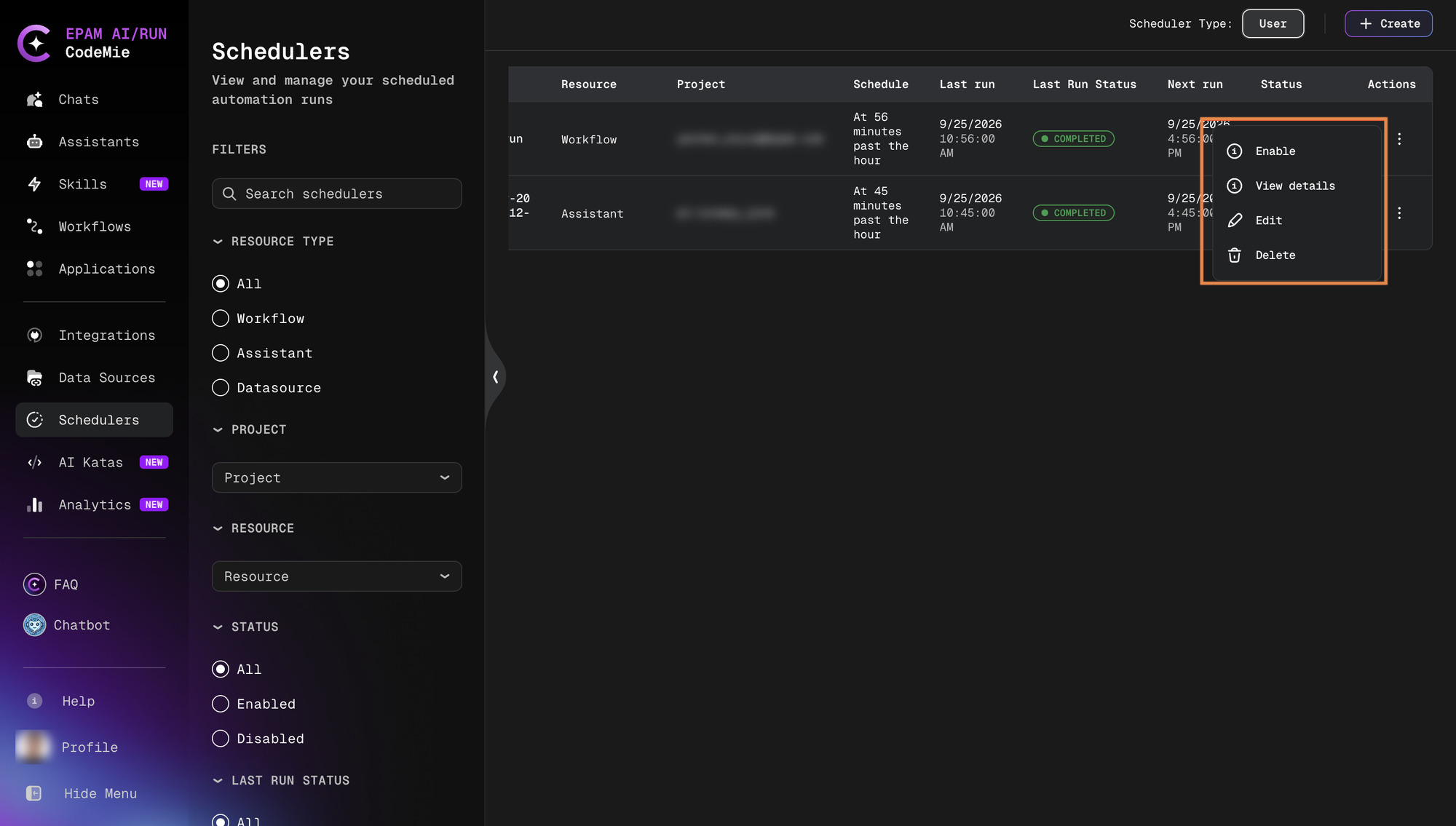
| Action | Description |
|---|---|
| Enable / Disable | Toggle the scheduler on or off without deleting it |
| View details | Open the scheduler's run history page |
| Edit | Modify the scheduler configuration |
| Delete | Permanently remove the scheduler |
Disabling a scheduler stops future runs without losing the configuration or run history.