Azure DevOps Test Plans
The Azure DevOps Test Plan tool lets your CodeMie assistant create and manage test plans, test suites, and test cases in your Azure DevOps project using natural language.
Prerequisites
Before adding the Test Plans tool to an assistant, set up an AzureDevOps integration in CodeMie. See Azure DevOps — Configure Integration.
Add Test Plans Tool to an Assistant
- Open Explore Assistant and click Create Assistant (or edit an existing one).
- Fill in the assistant details: project, name, description, and system instructions.
- In the Tools & Integrations section, expand Azure DevOps Test Plan.
- Select the tools you want to enable (or check Select all).
- In the Connected to dropdown, select your AzureDevOps integration alias.
- Click Create or Save.
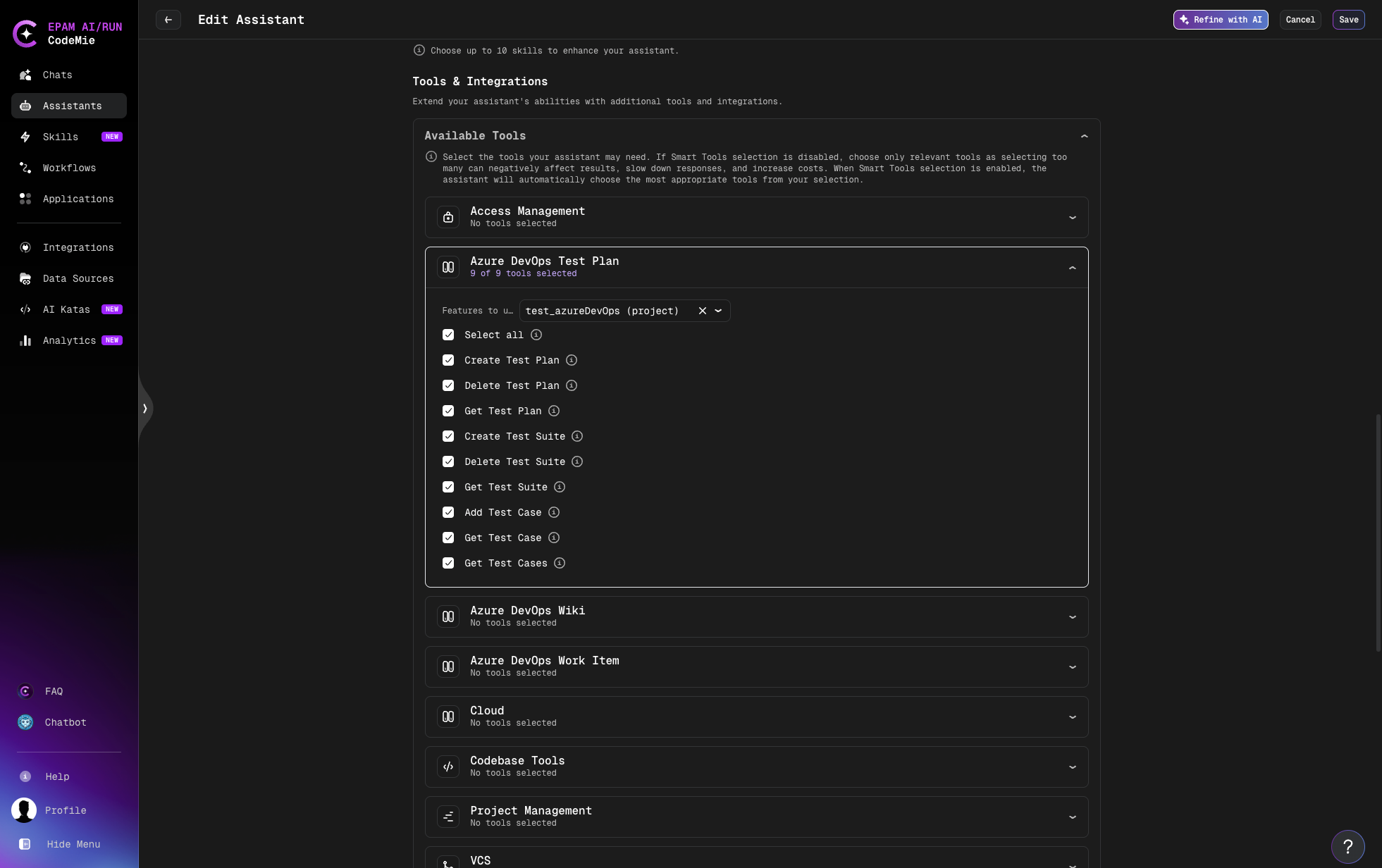
Available Operations
| Operation | Description |
|---|---|
| Create Test Plan | Create a new test plan in the project |
| Delete Test Plan | Delete an existing test plan by ID |
| Get Test Plan | Retrieve a specific test plan by ID, or list all test plans if no ID is provided |
| Create Test Suite | Create a new test suite within a test plan |
| Delete Test Suite | Delete a test suite from a test plan |
| Get Test Suite | Retrieve a specific suite by ID, or list all suites in a plan |
| Get Test Case | Retrieve a specific test case from a suite |
| Get Test Cases | List all test cases in a test suite |
Test Structure Overview
Azure DevOps organizes tests in a three-level hierarchy:
Test Plan
└── Test Suite
    └── Test Case (linked Work Item)
- Test Plan — top-level container, typically one per release or sprint
- Test Suite — groups related test cases (static, requirement-based, or query-based)
- Test Case — an individual test, stored as a Work Item of type "Test Case"
Usage Examples
Once the assistant is set up, interact with it using natural language:
Create a test plan:
"Create a test plan called 'Release 2.4 Regression' for the MyProject project"
Get all test plans:
"List all test plans in the project"
Create a test suite:
"Create a test suite called 'Login Flow' under test plan 12"
List test cases in a suite:
"Show all test cases in suite 45 of test plan 12"
Add a test case to a suite:
"Add work item 1080 as a test case to suite 45 in test plan 12"