Skills Marketplace
The Skills Marketplace is a community-driven repository where users can discover, share, and reuse pre-built skills for common use cases.
Overview
What is the Marketplace?
A central hub for:
- Discovering public skills created by the community
- Publishing your own skills to share with others
- Reusing proven patterns and best practices
- Collaborating on standardized procedures
Benefits:
- ✅ Faster setup - Use existing skills instead of creating from scratch
- ✅ Best practices - Learn from community expertise
- ✅ Consistency - Adopt standardized approaches across organizations
- ✅ Knowledge sharing - Contribute your expertise to help others
Browsing the Marketplace
Access the Marketplace
- Navigate to Skills in the left panel
- Select the Marketplace tab
- Browse available public skills
Skill Categories
Skills in the marketplace are organized by category.
Categories are managed at the platform level. Users with admin permissions can create, edit, and delete categories. Learn more about Categories Management.
Search and Filter
The Marketplace provides filtering options to help you find relevant skills quickly.
Search by Name
Enter keywords in the search box to find skills:
- Search works in real-time as you type
- Searches skill names and descriptions
- Examples: "JIRA", "AWS", "deployment", "testing", "data analysis"
- Useful for finding specific tools or use cases
Tips:
- Use specific keywords for better results
- Try different variations (e.g., "deploy", "deployment", "deploying")
- Combine with category filters to narrow results
Filter by Category
Select one or more categories to view skills in specific domains:
- Multi-select dropdown - Choose multiple categories at once
- Shows only skills belonging to selected categories
- Useful for browsing skills in your area of expertise
Clear Filters
Click × Clear filters to reset all filters and view the complete marketplace catalog
Using Marketplace Skills
Add Marketplace Skill to Assistant
- Navigate to Assistants and open the assistant you want to update
- Click Edit
- Scroll to the Skills section
- Open the dropdown and select a skill from the Marketplace group
- Click Save
The skill is now attached to the assistant and will load automatically when relevant to the user's request.
Use a Marketplace Skill in Chat
You can also attach marketplace skills directly in a chat session without modifying the assistant:
- Open a chat with any assistant
- Click the Skills button in the chat input toolbar
- In the Attach Skills modal, switch to the Marketplace Skills tab
- Select the skill and click Confirm
The skill is active for the current conversation only. Other chats with the same assistant are not affected.
Use chat-level attachment to try a marketplace skill before permanently adding it to an assistant.
Publishing Skills to Marketplace
Preparation
Before publishing, ensure your skill:
- ✅ Has a clear, descriptive name
- ✅ Provides detailed description explaining when to use it
- ✅ Includes comprehensive, step-by-step instructions
- ✅ Declares all required tools
- ✅ Uses generic examples (not company-specific secrets)
- ✅ Follows best practices and coding standards
Publishing Process
Step 1: Open Publish Dialog
- Navigate to Skills → Project Skills
- Find the skill to publish
- Click the three dots menu (⋮)
- Select Publish to Marketplace
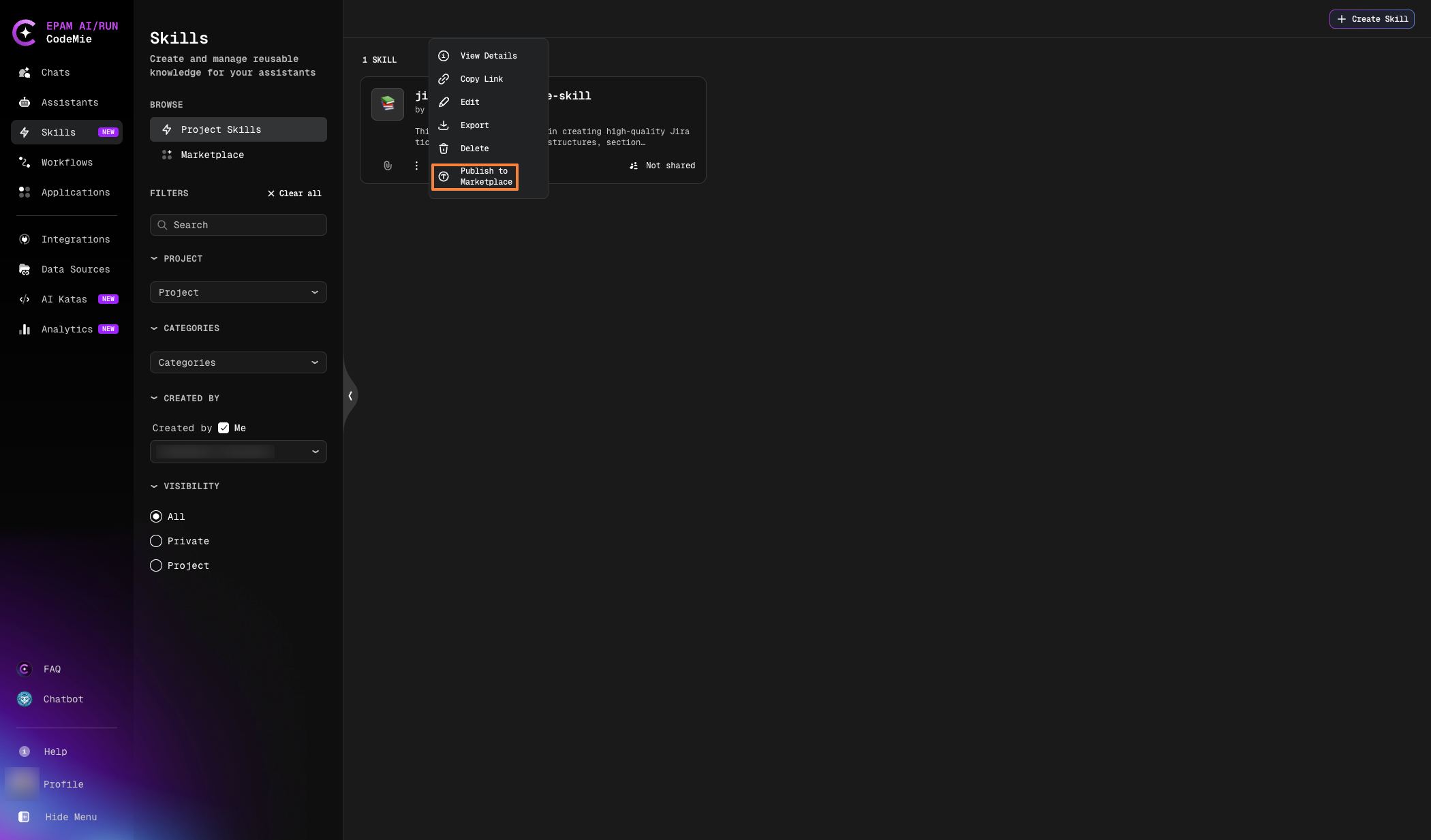
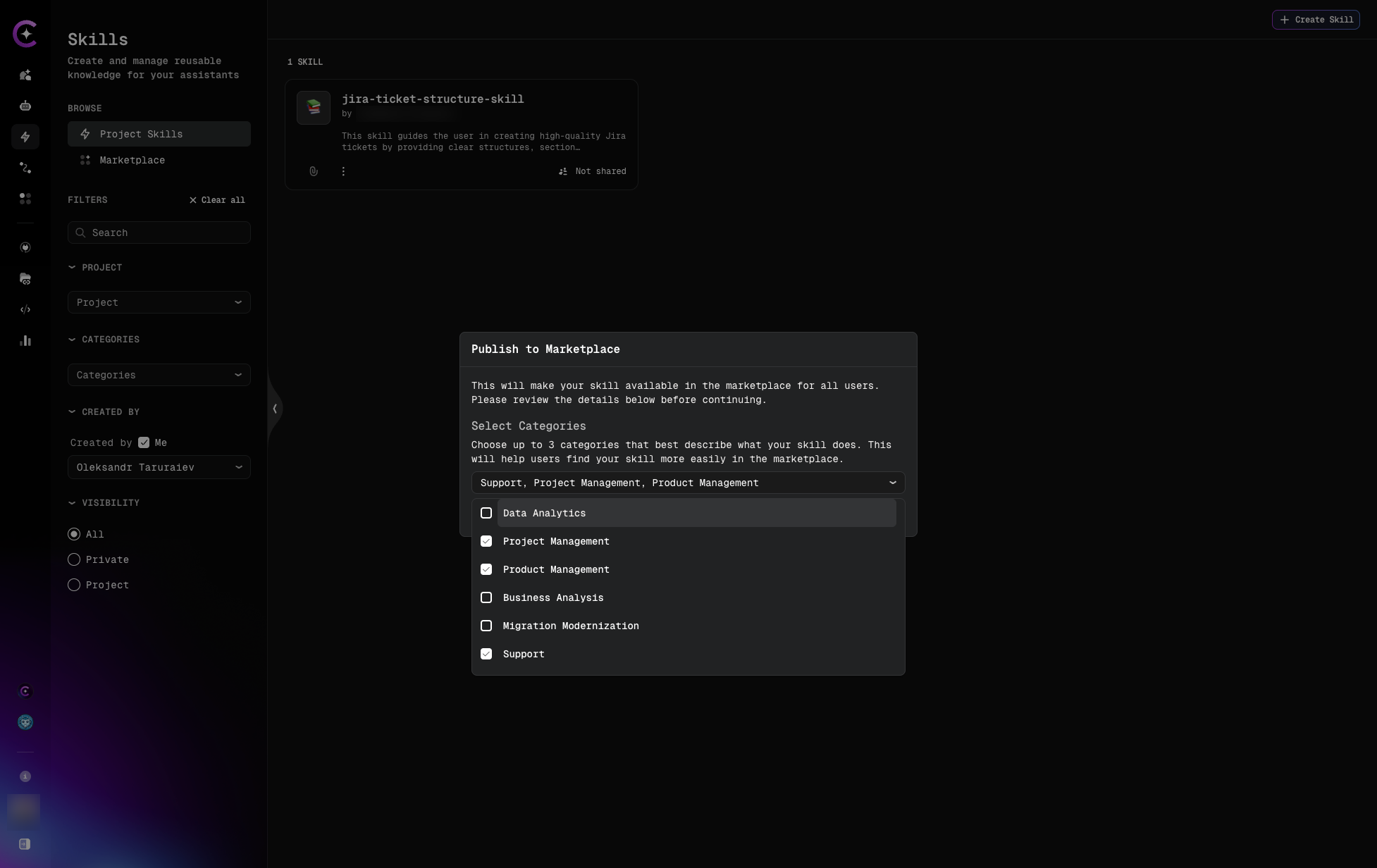
Step 2: Select Categories
In the Publish to Marketplace dialog, select at least one category:
Step 3: Confirm Publication
- Click Publish in the modal
- The skill is published to the marketplace
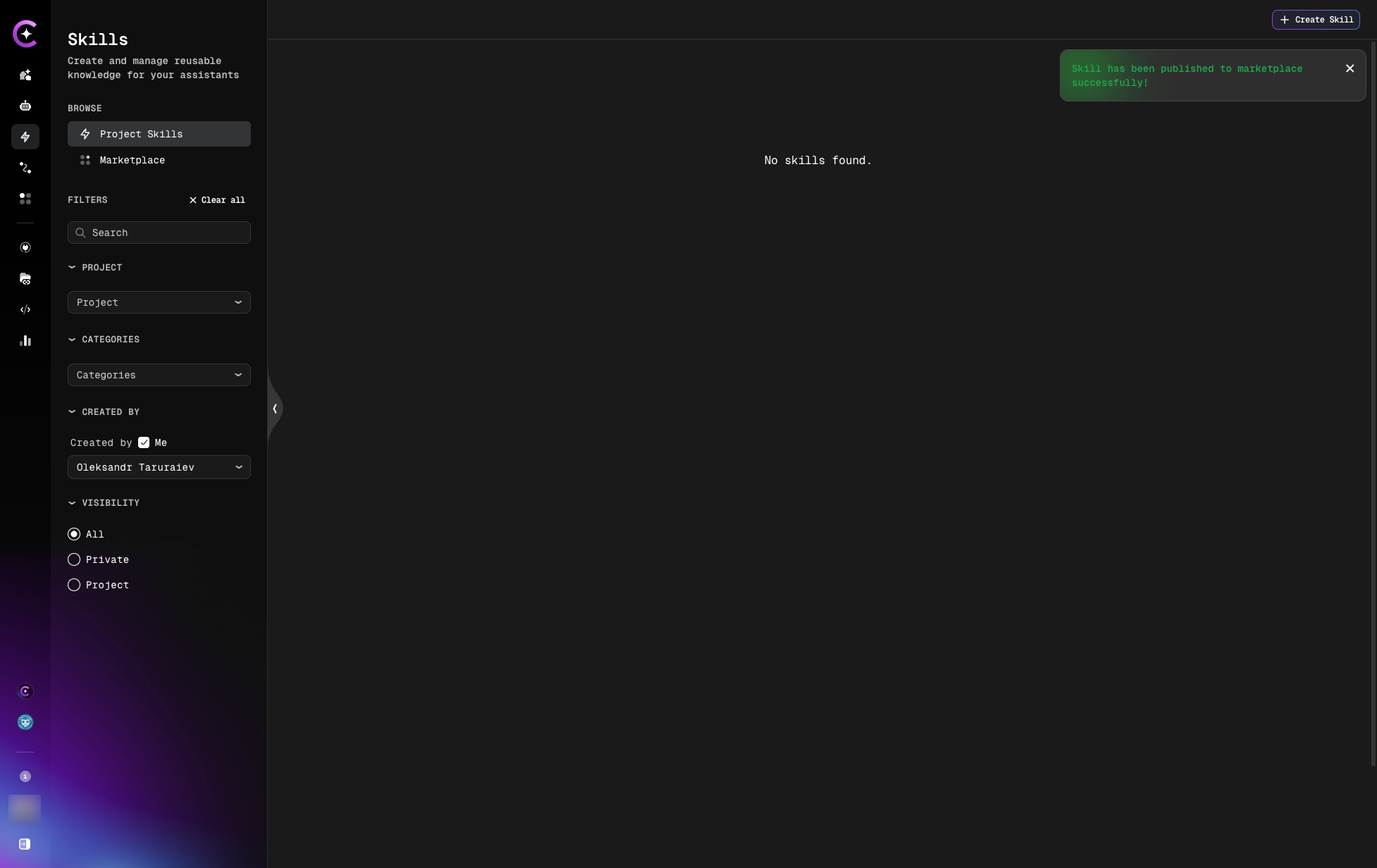
A confirmation notification appears when the skill is successfully published:
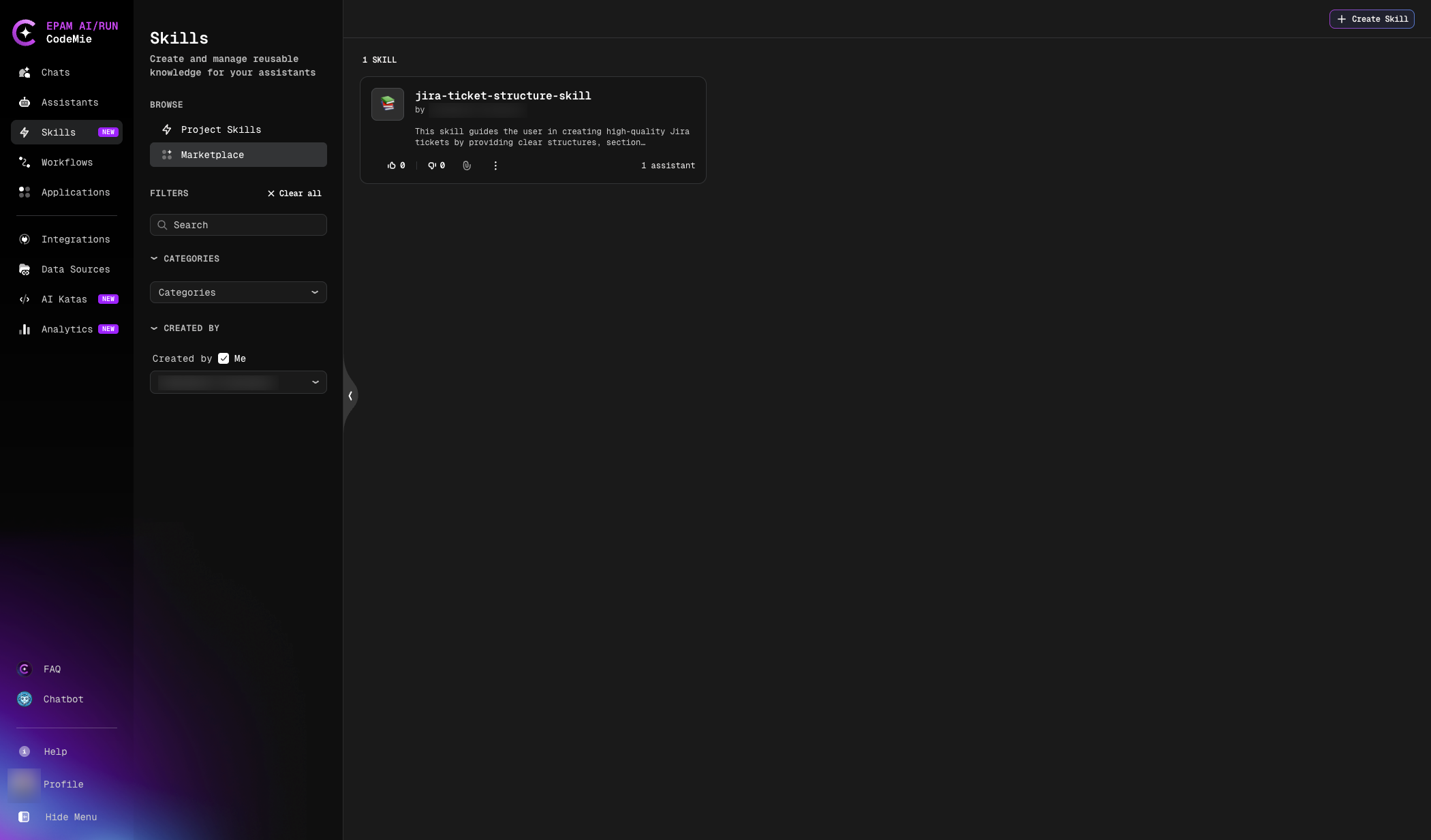
The skill now appears in the Marketplace and is available for other users to discover and use.
Marketplace Skill Quality
Rating
Users can:
- Rate skills (if rating feature enabled)
Updating Published Skills
To update a marketplace skill you published:
- Navigate to Skills → Marketplace tab
- Find your published skill
- Edit the skill
- Make changes
- Save
Changes are reflected in the marketplace immediately.
Updates to published skills affect all users who are using the skill. Make changes carefully and consider versioning strategies.
Unpublishing Skills
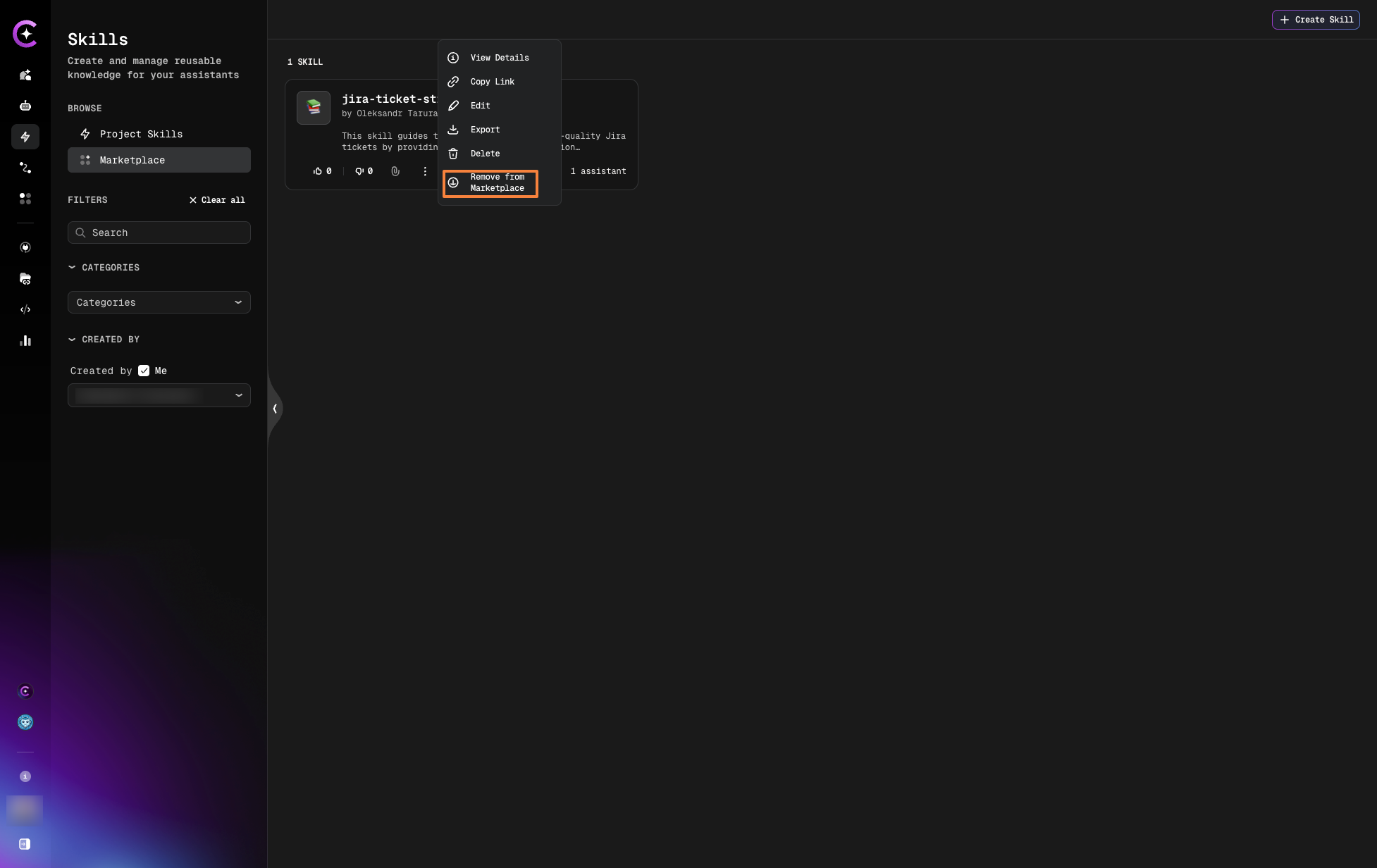
To remove a skill from the marketplace:
Step 1: Open Remove Menu
- Navigate to Skills → Marketplace tab
- Find the published skill
- Click the three dots menu (⋮)
- Select Remove from Marketplace
Step 2: Confirm Removal
A confirmation modal will appear.
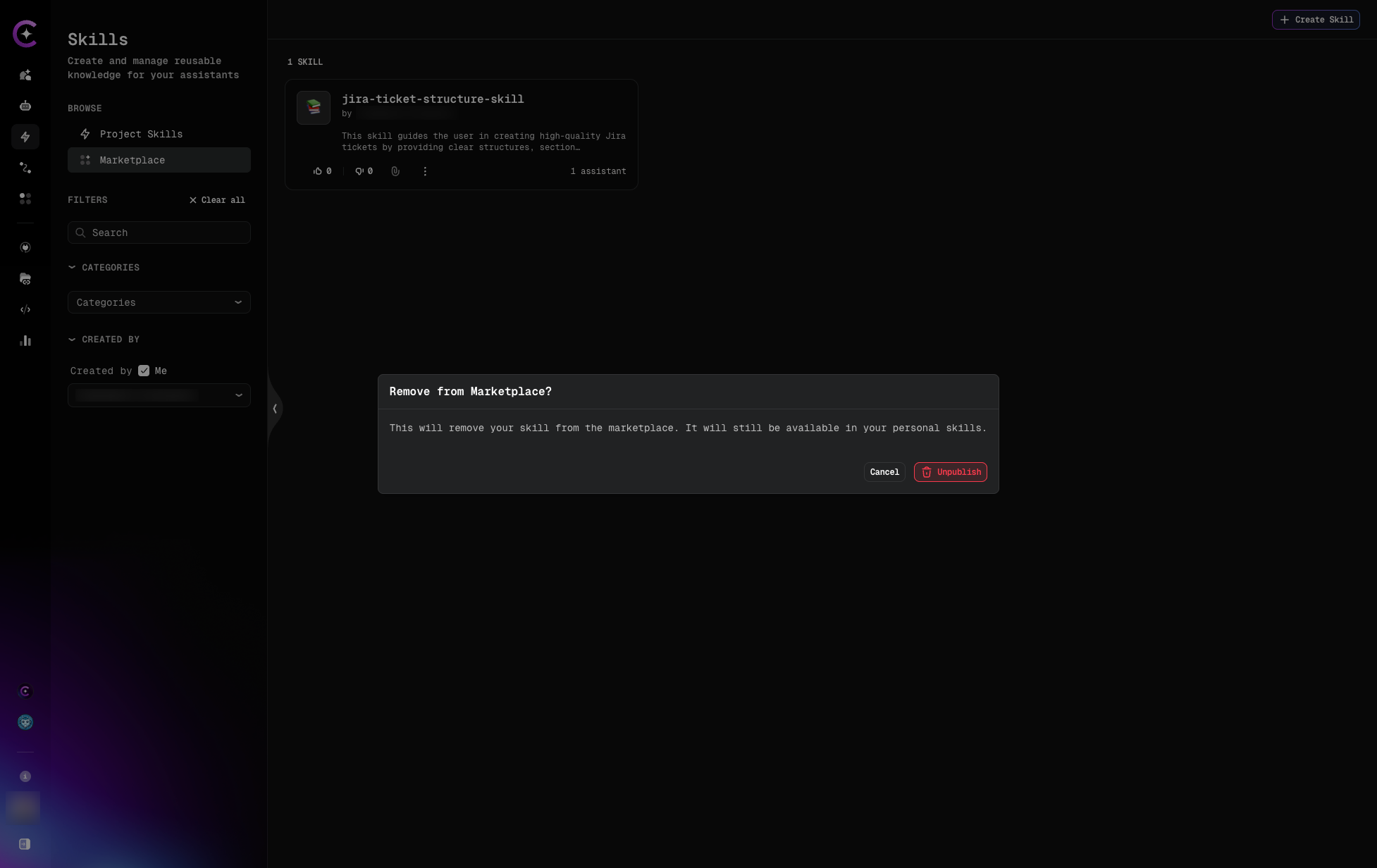
Click UNPUBLISH to confirm.
Result: The skill is removed from the marketplace.
Next Steps
- Skills in Chat - Learn about dynamic skill attachment
- Create Skill - Build skills to publish
- Attach to Assistants - Use marketplace skills