Claude Desktop Integration
Part of the CodeMie Enterprise package, and may not be enabled on every deployment. If this capability is missing from the UI described below, contact the CodeMie platform administrator. See all Enterprise features.
Claude Desktop can be connected to the CodeMie gateway via the CodeMie CLI local proxy daemon. Once connected, the full CodeMie model catalog becomes available in Claude Desktop's model selector — powered by the organization's configured LLM providers, SSO authentication, and governance policies. No Anthropic subscription is required.
Prerequisites
- CodeMie CLI installed:
npm install -g @codemieai/code - Logged in with an SSO-backed CodeMie profile:
codemie profile login - Claude Desktop installed
Setup
A single command connects Claude Desktop to the CodeMie proxy:
codemie proxy connect --claude-desktop
This command:
- Starts (or reuses) the local CodeMie proxy daemon on
http://127.0.0.1:4001 - Writes the inference gateway configuration to Claude Desktop's config library
- Fetches available Claude-compatible models from the CodeMie gateway and writes them to the Desktop model list
- Registers managed MCP servers from the organization's CodeMie configuration
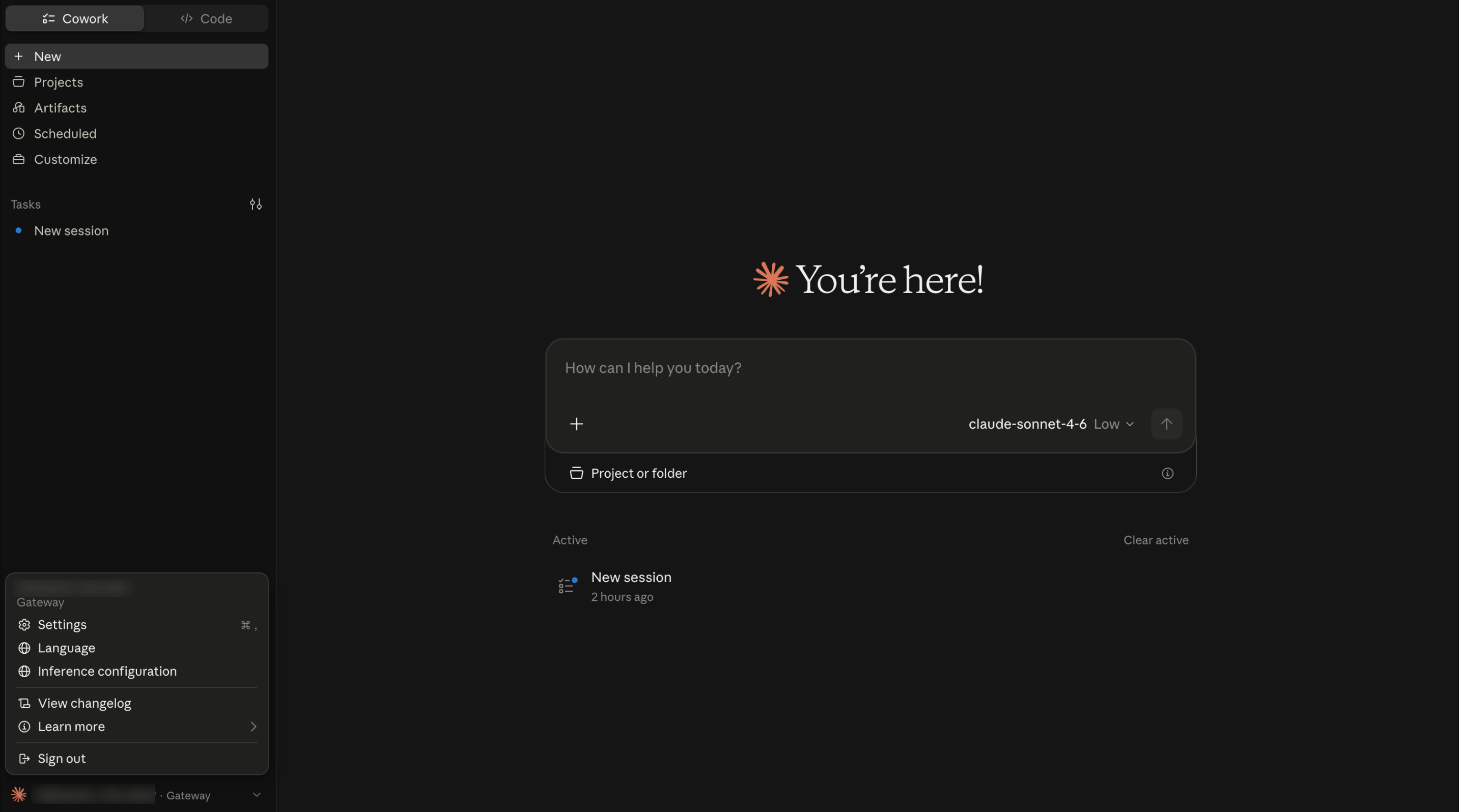
After the command completes, restart Claude Desktop. The active profile is shown at the bottom
of the sidebar as · Gateway.
Verifying model discovery
The model list refreshes automatically at every Claude Desktop launch. To verify or manually trigger model discovery after setup:
-
In Claude Desktop, click the profile name at the bottom left to open the menu, then select Settings.
-
Select Inference configuration.
-
On the Connection tab, scroll to the Models section.
-
In the Model list field, remove any existing entries (e.g., the default
claude-sonnet-4.6) by clicking the × button on each one. Entries in this list override auto-discovery — the list must be empty for the full gateway catalog to populate.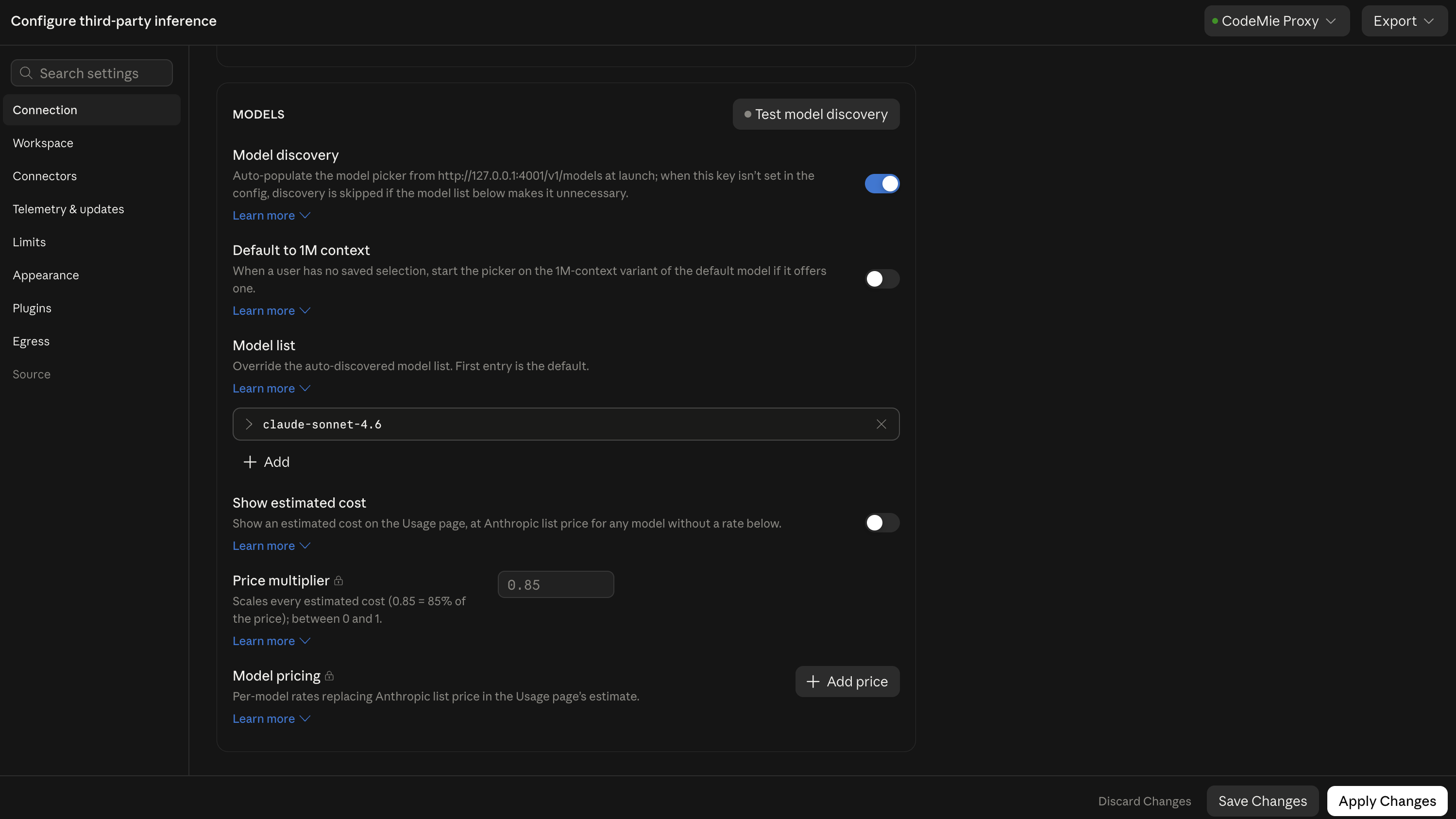
-
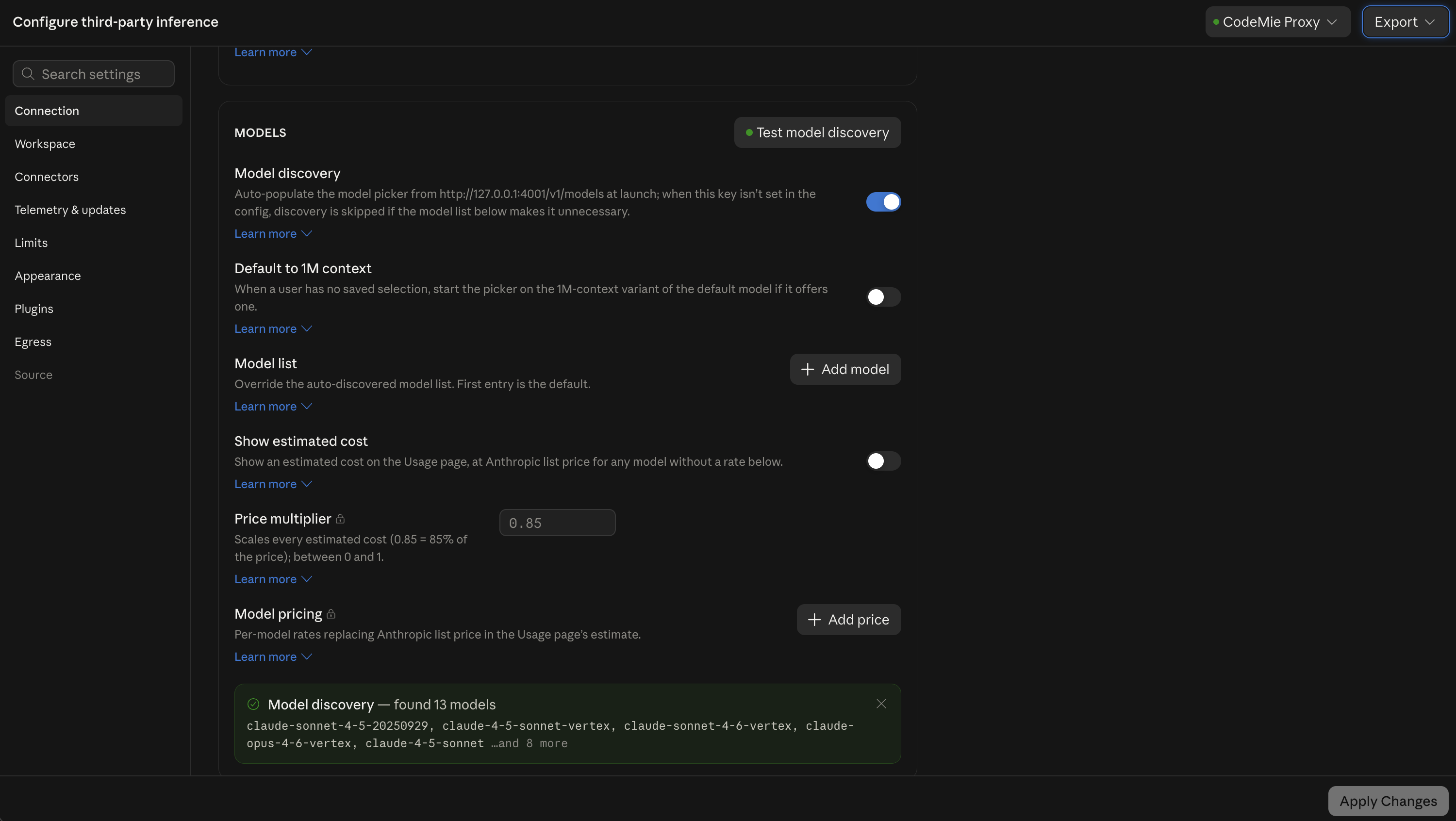
Click Test model discovery. The gateway at
http://127.0.0.1:4001/v1/modelsis queried and a banner at the bottom of the section reports the result, for example "Model discovery — found 13 models". -
Click Apply Changes, then restart Claude Desktop.
All discovered models appear in Claude Desktop's model picker.
Proxy status
Check whether the proxy daemon is running:
codemie proxy status
Use --deep to also verify upstream CodeMie gateway reachability:
codemie proxy status --deep
Options
| Option | Description |
|---|---|
--profile <name> | Use a specific profile for this run without changing the active profile |
--force | Stop any existing proxy and start a fresh one |
--verbose | Show gateway URLs and config file paths for debugging |
Config file locations
The command writes Claude Desktop's inference gateway configuration to the platform-specific config library directory:
| Platform | Path |
|---|---|
| macOS | ~/Library/Application Support/Claude-3p/configLibrary/ |
| Windows | %LOCALAPPDATA%\Claude-3p\configLibrary\ |
| Linux | $XDG_CONFIG_HOME/Claude-3p/configLibrary/ or ~/.config/Claude-3p/configLibrary/ |