CodeMie VS Code GitHub Copilot Extension
Deprecated
The CodeMie VS Code GitHub Copilot Extension is currently deprecated. You can use the CodeMie CLI instead.
The CodeMie GitHub Copilot extension integrates CodeMie's AI-powered assistants directly into Visual Studio Code through the GitHub Copilot Chat interface. This extension provides seamless access to CodeMie capabilities while leveraging the familiar Copilot Chat experience.
Prerequisites
- CodeMie Account for authentication
Installation
- Open Visual Studio Code
- Click on Extensions button or (Ctrl+Shift+X or Cmd+Shift+X)
- Search for "AI/Run CodeMie" in the marketplace
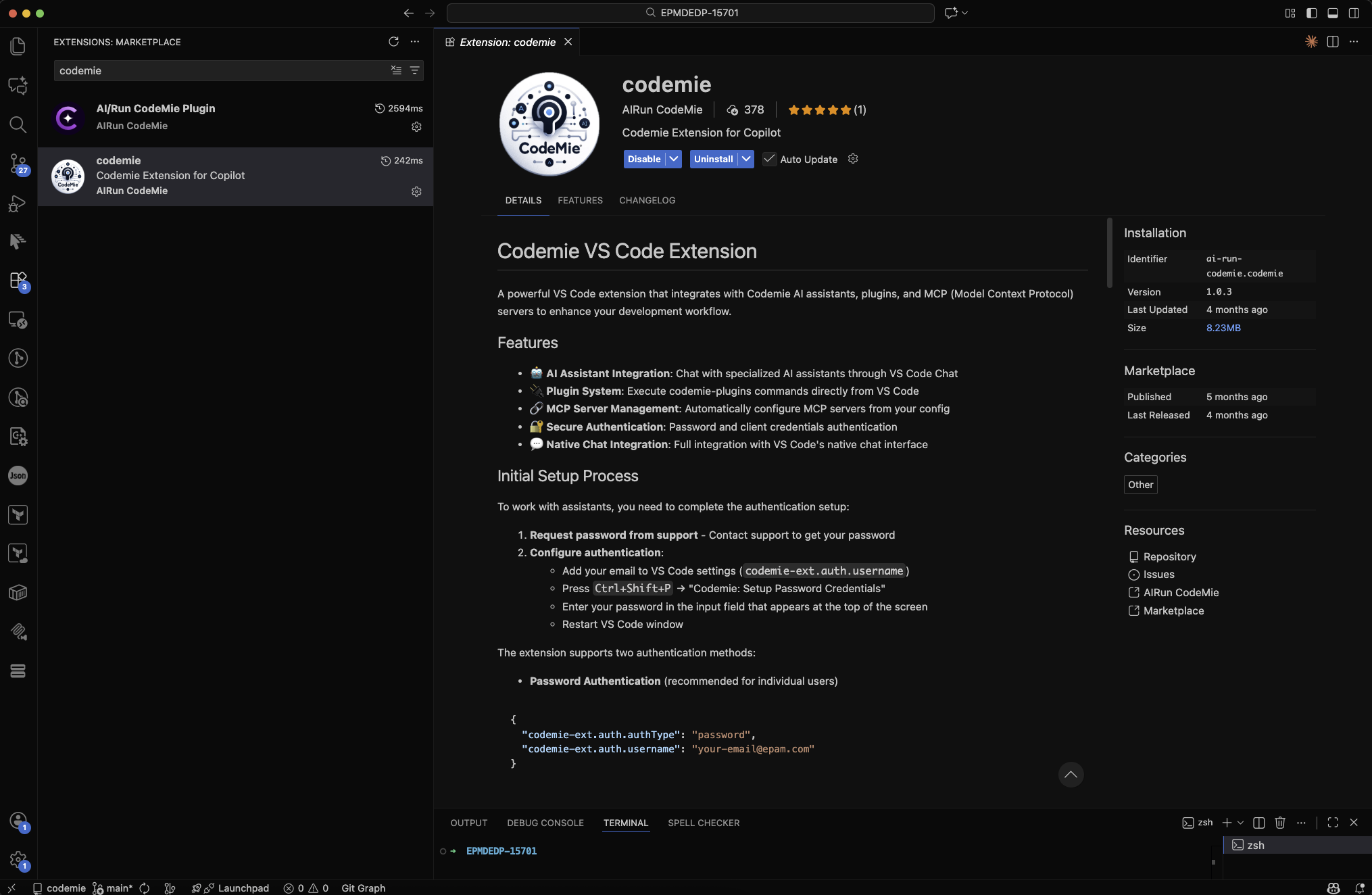
- Click Install and follow the setup instructions provided in the extension documentation
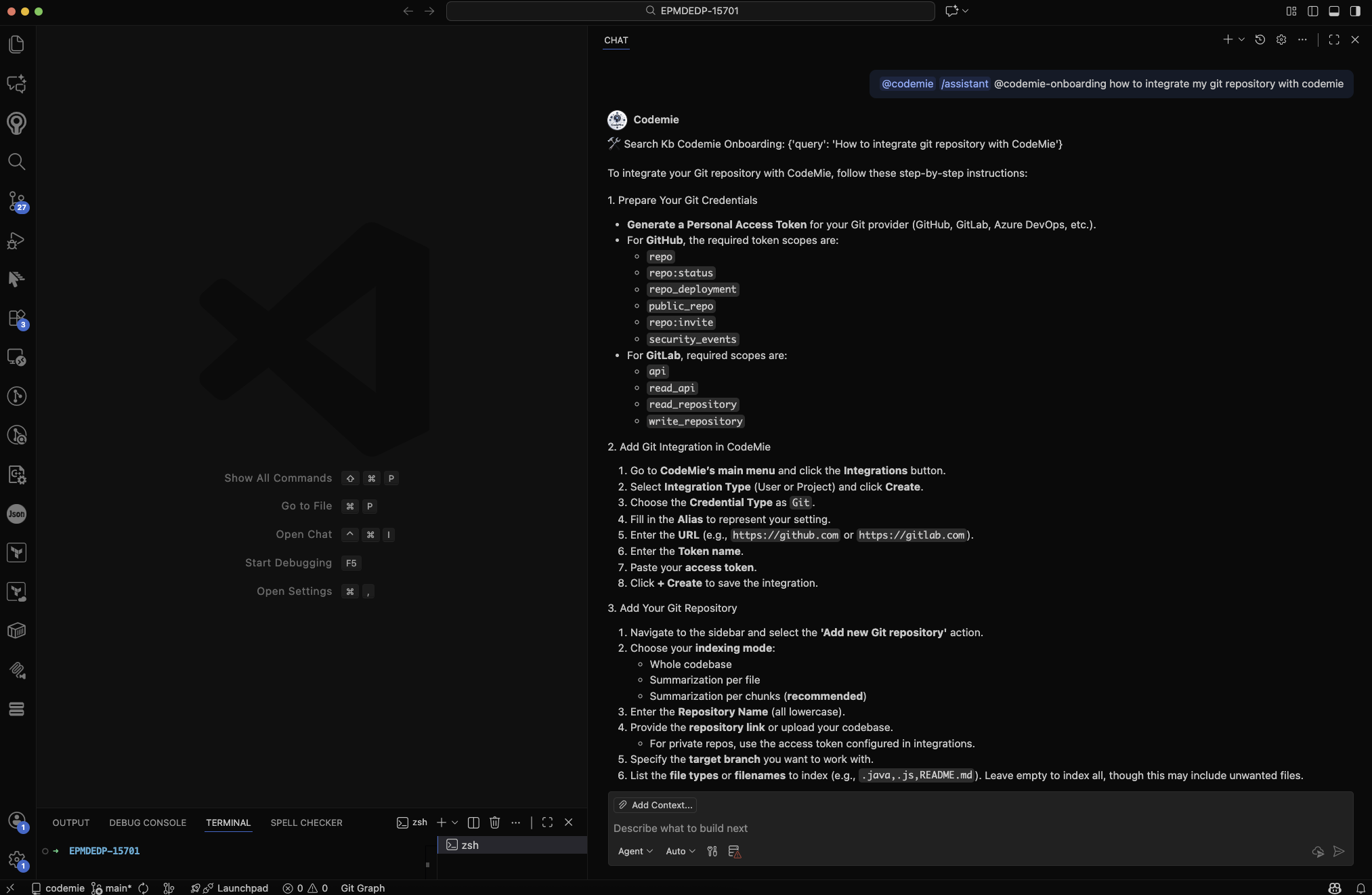
Example of usage
Troubleshooting
Common Issues and Solutions
Extension Not Responding
- Click the Refresh button in the extension interface
- Restart your Vs code IDE
- Check connection status
Authentication Problems
- Verify connection
- Clear extension cache in settings
- Reset login data through extension settings