Working with AI Katas
Browsing the Catalog
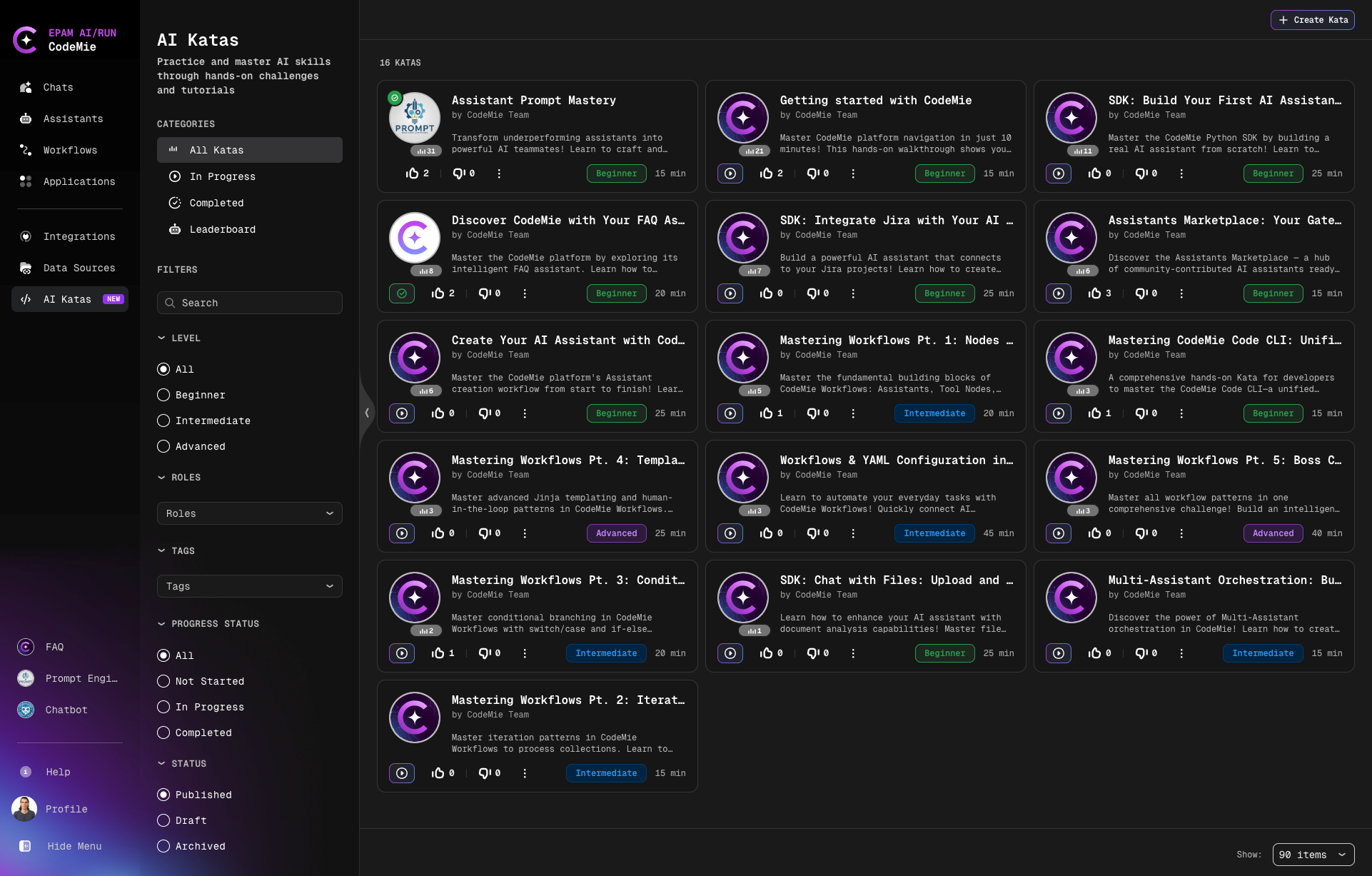
Each Kata card displays title, difficulty level, duration, progress status, enrolled users count, and feedback.
Filtering Katas
| Filter Type | Options | Description |
|---|---|---|
| Categories | All Katas / In Progress / Completed / Leaderboard | Quick access to catalog views and rankings |
| Level | All / Beginner / Intermediate / Advanced | Filter by difficulty |
| Roles | Developer / AI Engineer / Product Manager / etc. | Filter by target professional role |
| Tags | Topic or technology tags | Filter by topics (max 3 selections) |
| Progress Status | All / Not Started / In Progress / Completed | Track your learning progress |
| Status | Published / Draft / Archived | Filter by publication status (Draft visible to admins only) |
| Search | Keyword or topic | Find specific Katas by search term |
tip
All filter preferences are automatically saved.
Viewing Modes
You can work with Katas in three different modes:
1. Details Mode (Default)
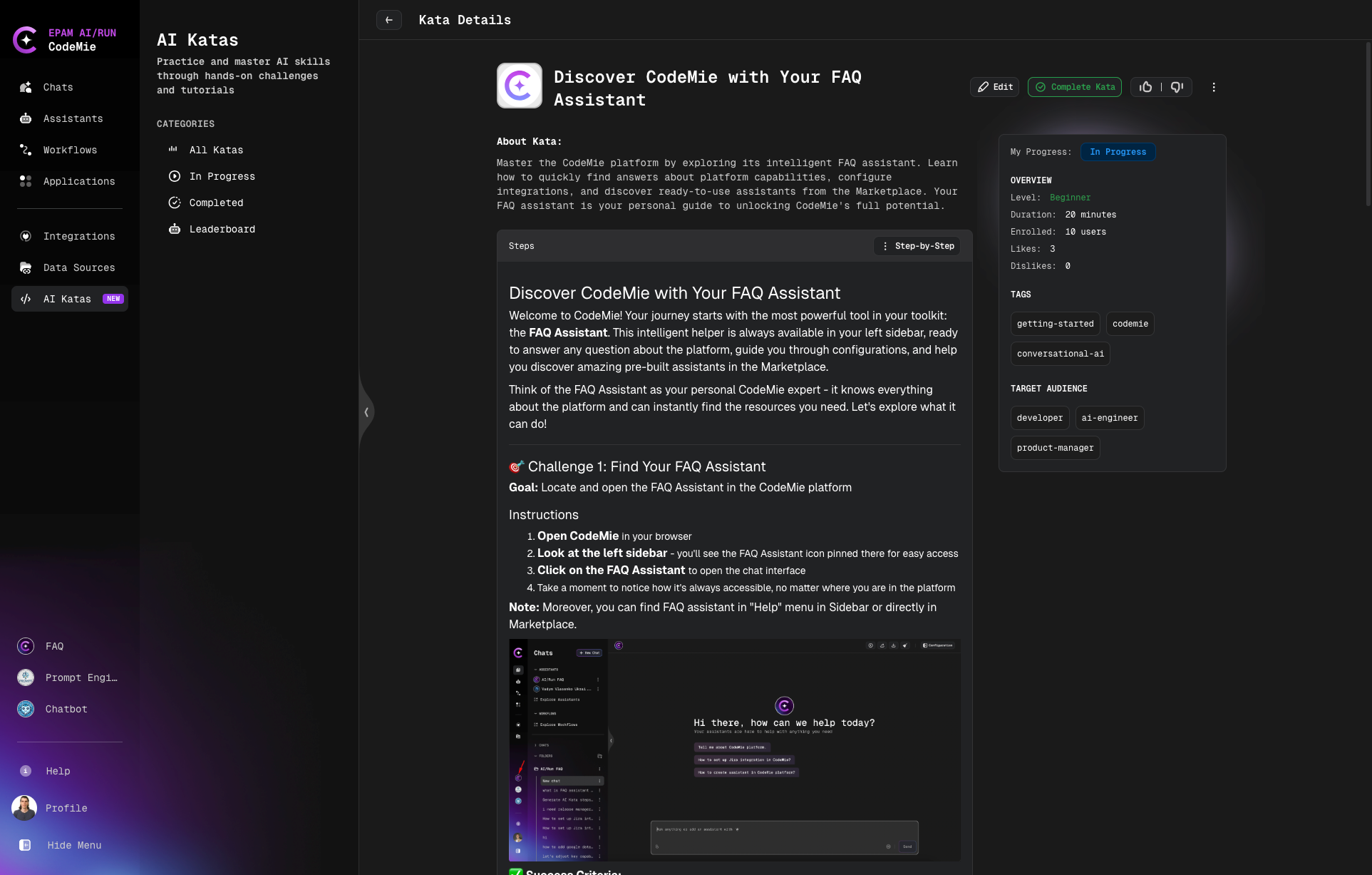
View Kata information and scroll through all steps in a standard details view.
2. Step-by-Step Mode
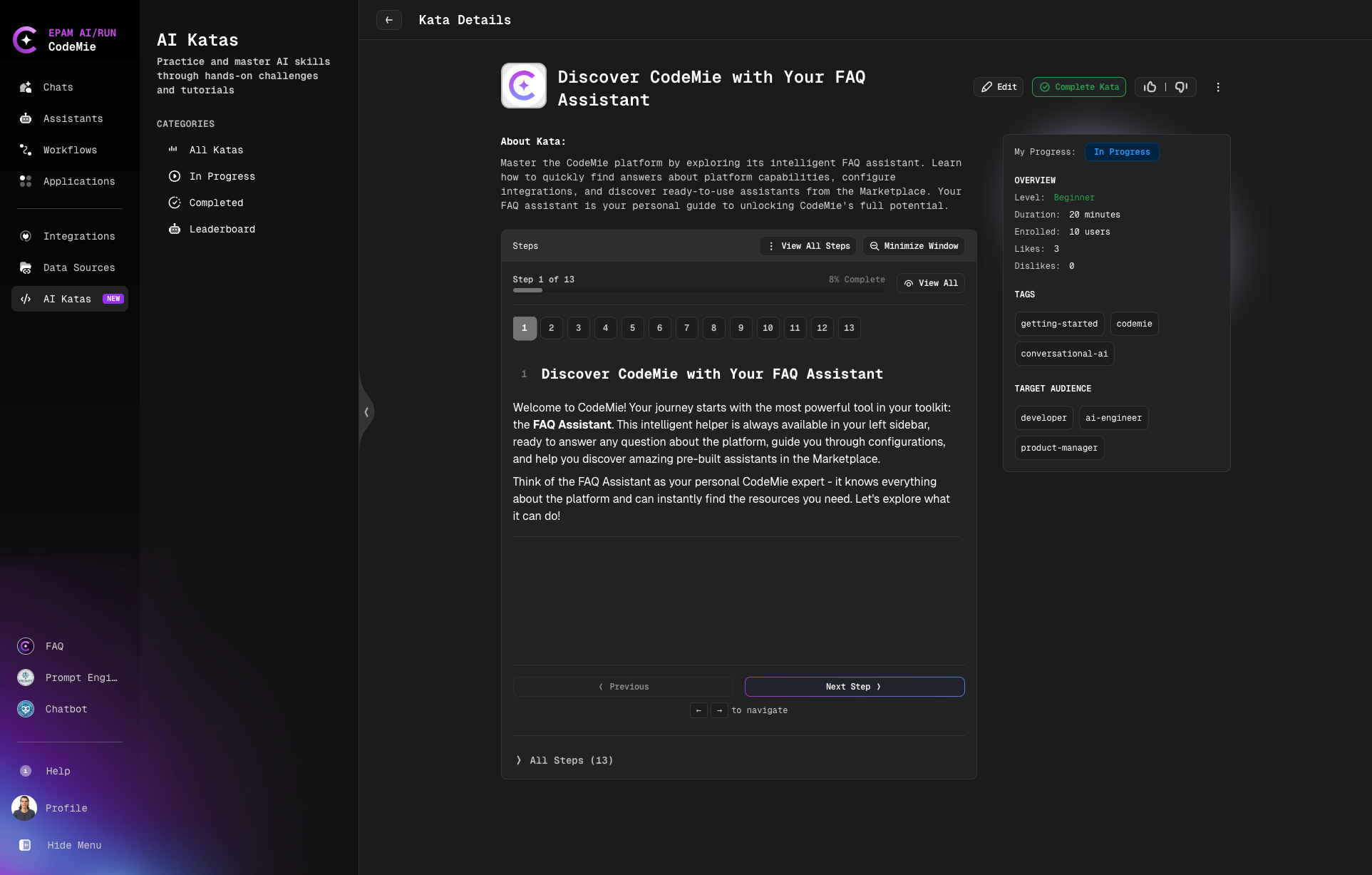
Complete one step at a time with progress indicators and Previous/Next navigation. Click Step-by-Step button to enable this mode.
3. Minimized Mode
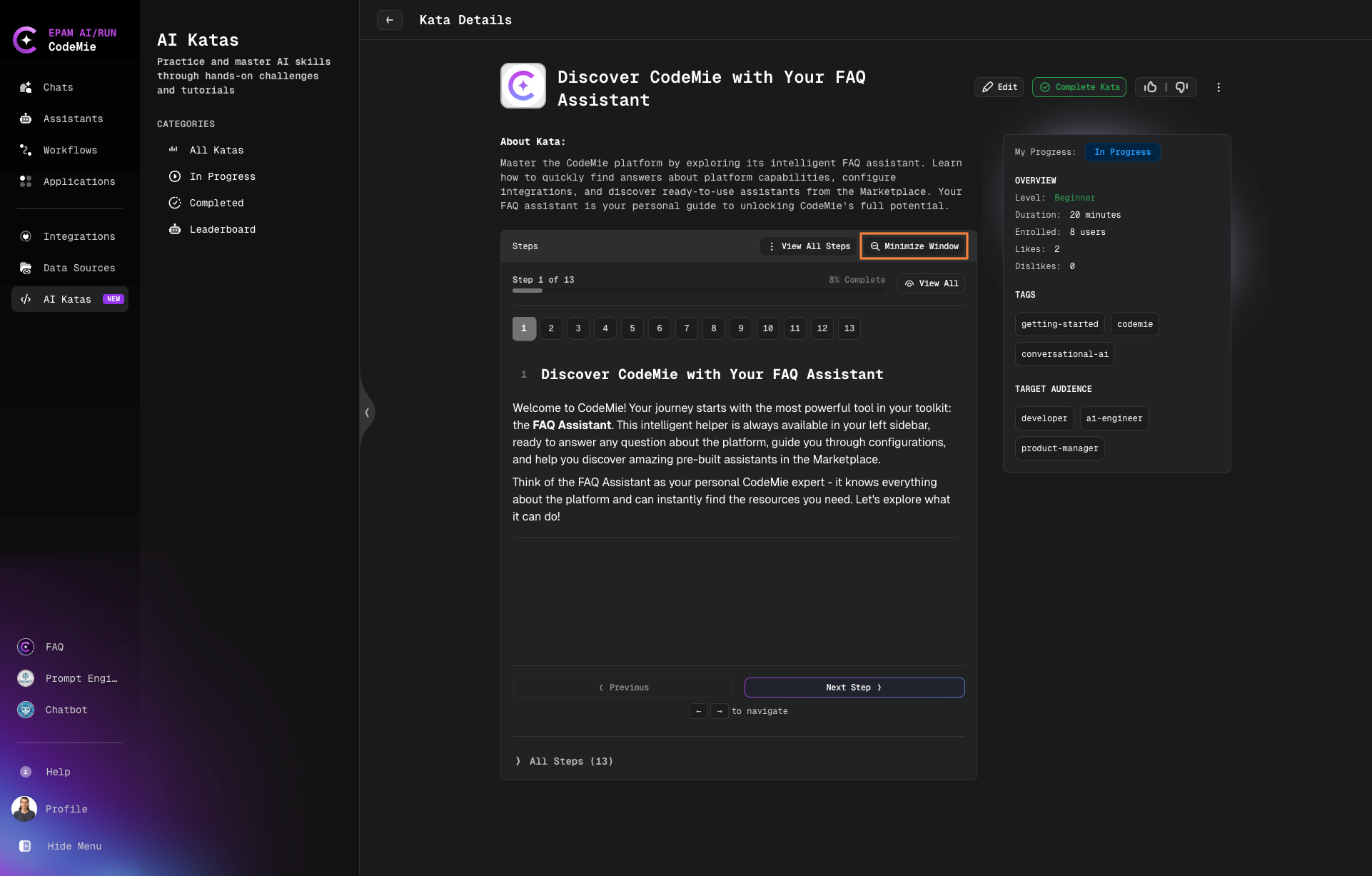
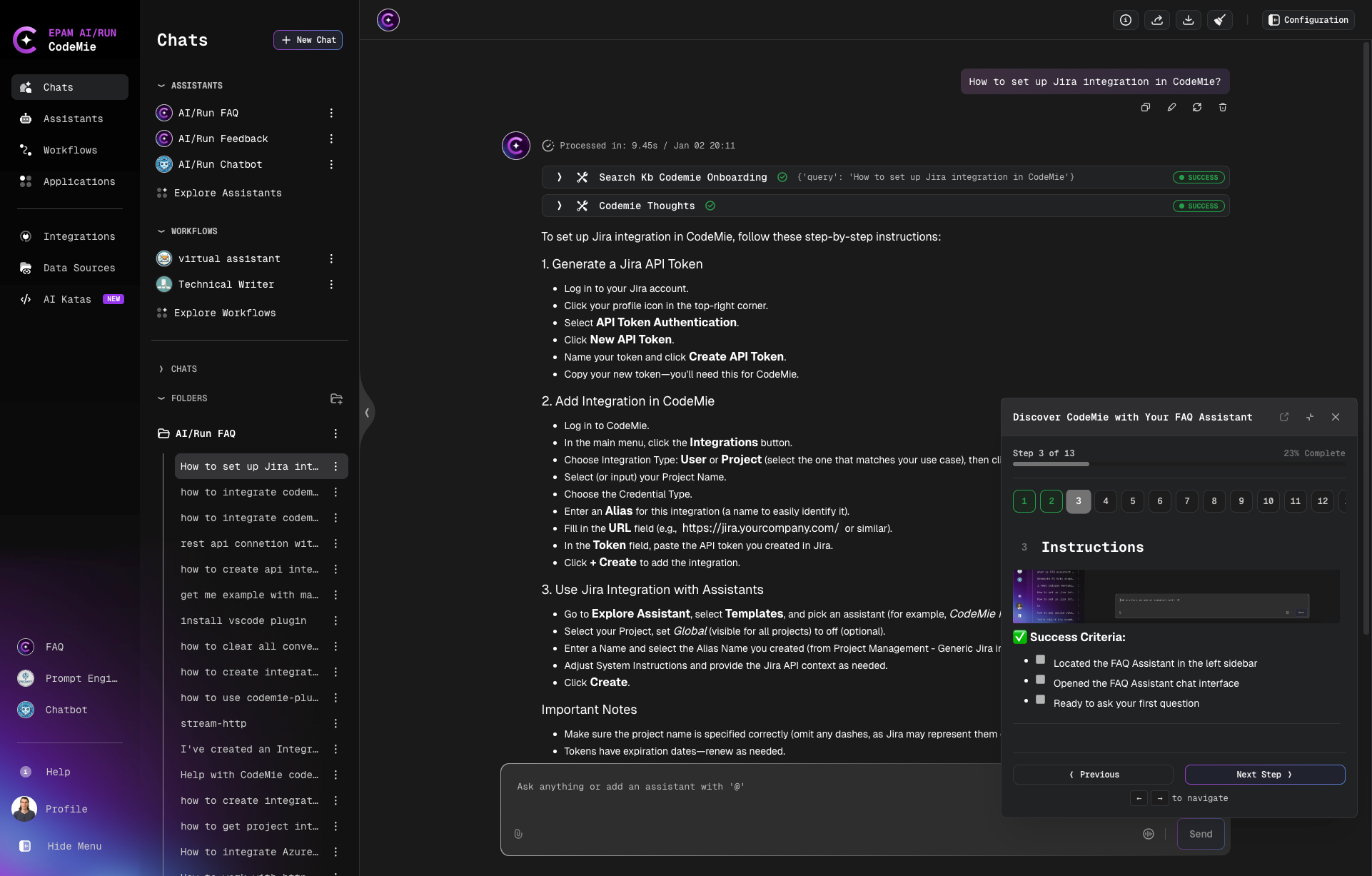
Collapse the Kata into a small floating window with navigation controls. This allows you to view Kata instructions and complete tasks simultaneously in other platform sections.
Progress Tracking
- Progress automatically saved in real-time
- Status: Not Started / In Progress / Completed
- Persists across browser sessions
Completing a Kata
- Work through all steps
- Click Complete Kata button
- Provide feedback (optional)
Providing Feedback
Rate Katas with like/dislike to help improve content quality. Your vote is anonymous and can be changed anytime.