Skills in Chat
Learn how to dynamically attach and use skills during conversations without modifying the assistant itself.
Adding Skills in Chat
Step 1: Open Skills Panel
- Start or open a chat with an assistant
- Click the Skills button (input field)
Step 2: Select Skills
- In the Attach Skills modal, browse and search for skills:
- Project Skills - Your personal skills
- Marketplace Skills - Community-shared skills
- Select one or more skills from the list
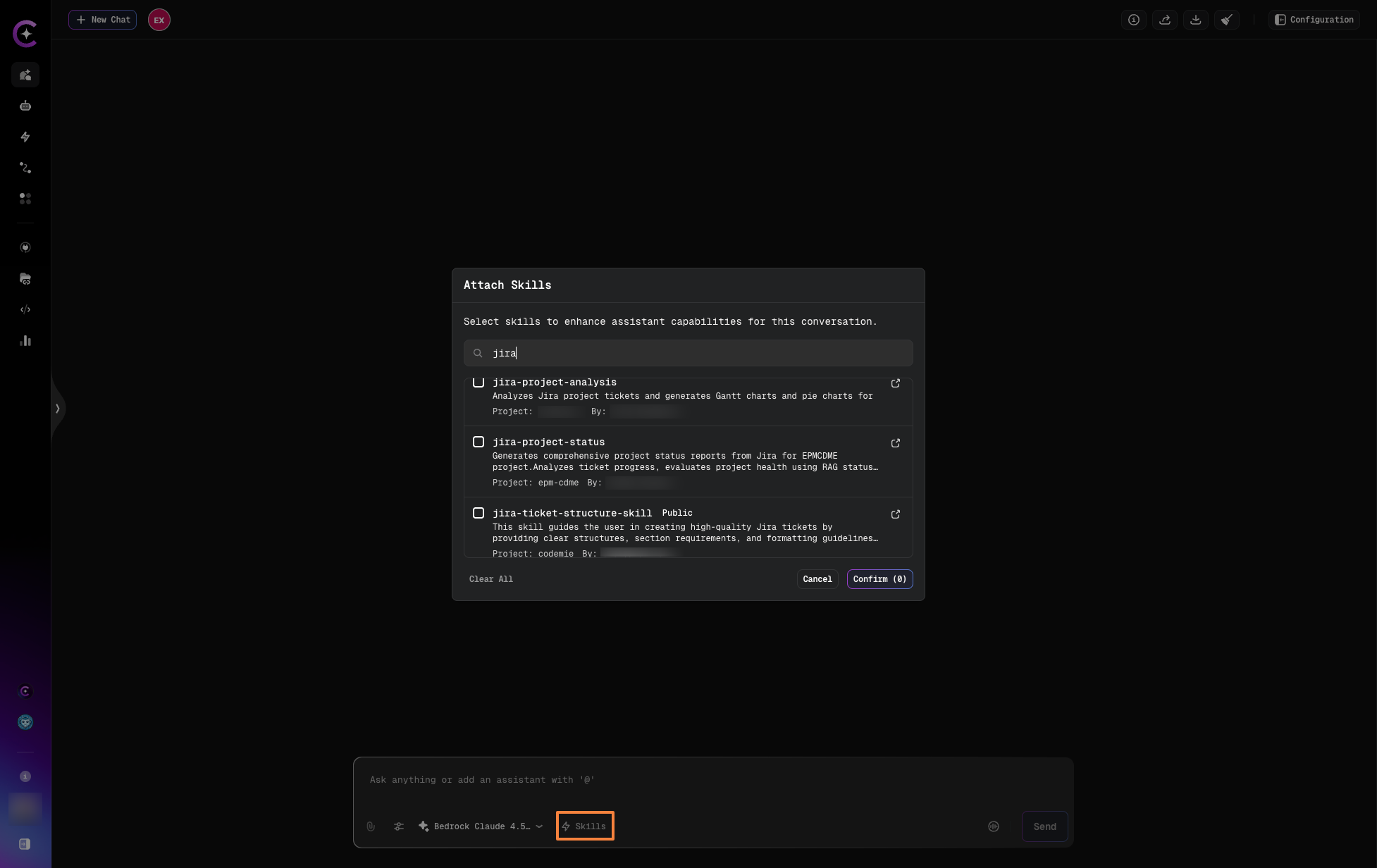
- Click Confirm to attach skills to this chat session
Step 3: Use the Skills
The skills are now available for this conversation:
- Load automatically when relevant
- Provide instructions and guidance
- Inherit required tools (same as assistant-level)
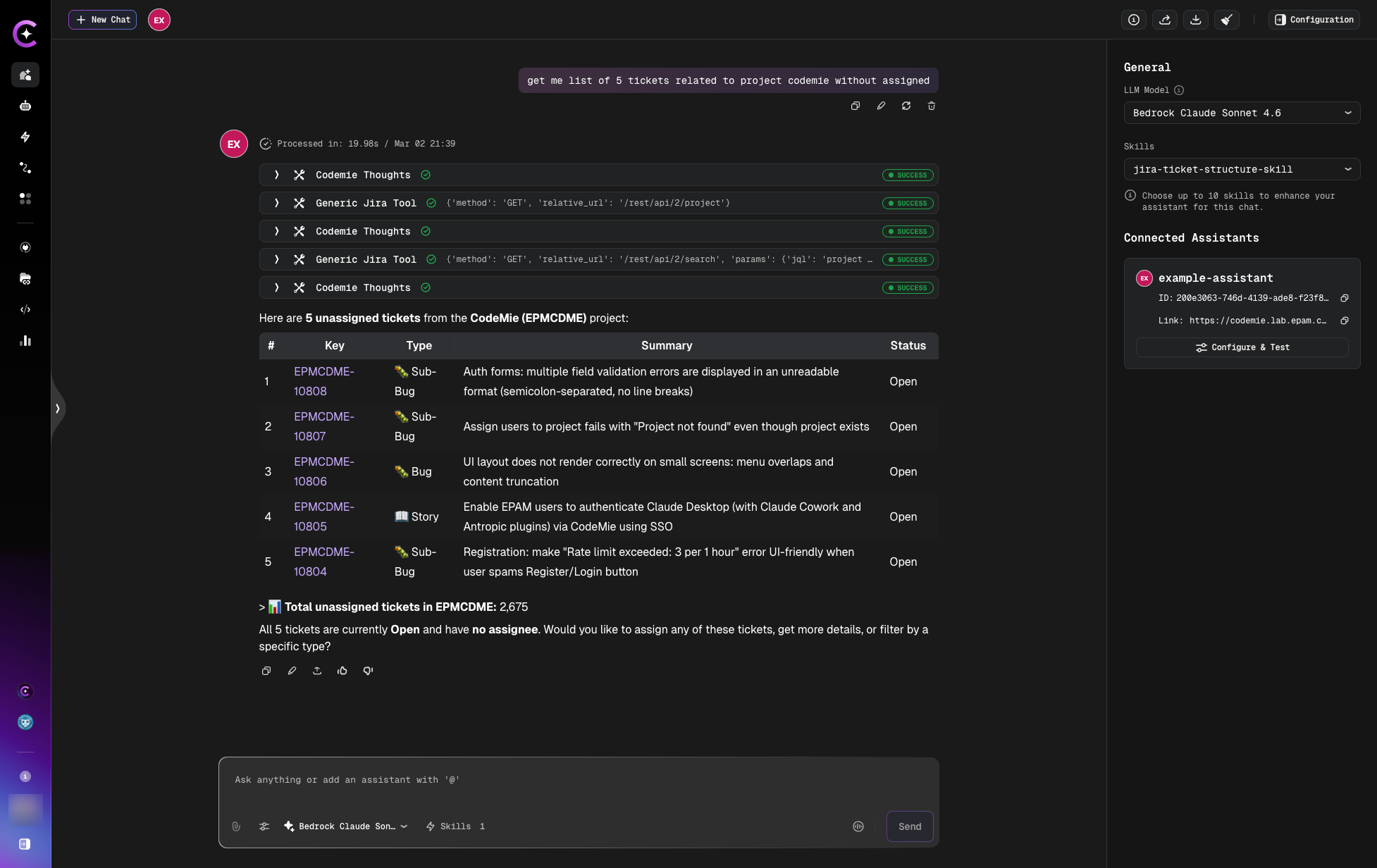
The chat shows loaded skills and connected assistants in the right panel during the conversation.
tip
Skills attached in chat persist for the current chat session but don't modify the assistant itself.
Dynamic Loading Behavior
On-Demand Activation
Skills attached to chat load based on relevance, just like assistant-level skills:
Example:
Assistant: BA Helper (no skills attached at assistant level)

Chat Configuration:
  Dynamically Attached Skills:
    - JIRA Ticket Structure
    - Find Duplicate Tickets
Conversation:
User: "Create a story for user authentication"

System:
  - Detects request is about creating tickets
  - Loads "JIRA Ticket Structure" skill
  - Applies skill instructions
Assistant (uses JIRA Ticket Structure):
I'll create a story following our ticket structure guidelines...
Scope of Dynamic Skills
Skills attached in chat:
- Chat-specific - Apply only to current conversation
- Not permanent - Don't modify the assistant's base configuration
- Other chats unaffected - Other conversations with same assistant don't have this skill
Removing Skills from Chat
To detach a dynamically attached skill:
- Click the Skills button in chat
- View the list of attached skills
- Uncheck the checkbox next to the skill you want to remove
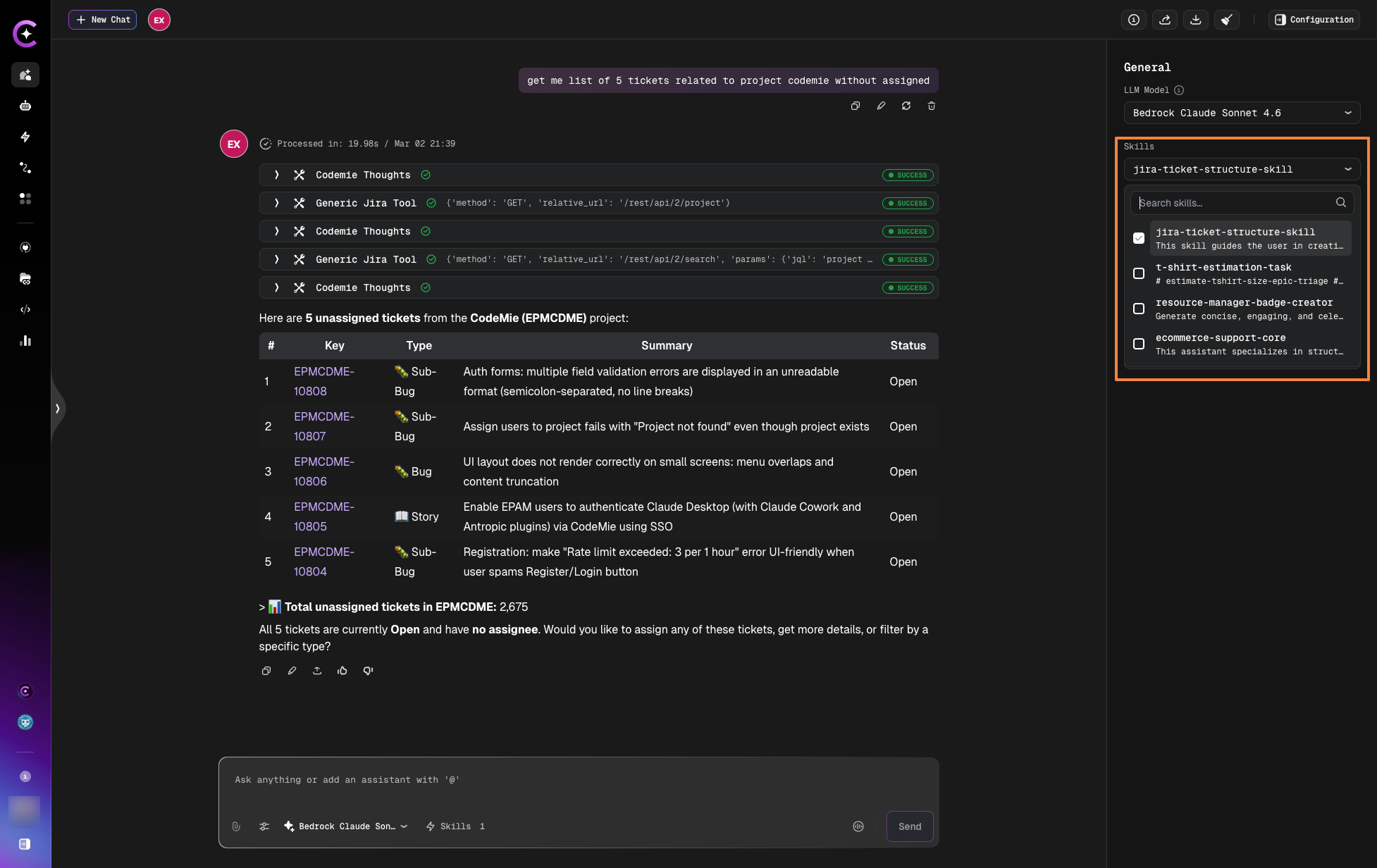
The chat shows loaded skills in the right panel. Simply uncheck skills to remove them from the current conversation.
Effects:
- Skill no longer loads for this conversation
- Inherited tools from skill are removed
- Other chats unaffected
- Assistant's base configuration unchanged
Next Steps
- Skills Overview - Learn more about Skills concepts
- Create Skill - Build skills for dynamic use
- Attach to Assistants - Permanent skill attachment