Edit Assistants
Assistants can be edited at any time to improve performance or adapt to new requirements. Changes take effect immediately without creating a new assistant or chat.
Manual Editing
Method 1: Edit from Assistants List
-
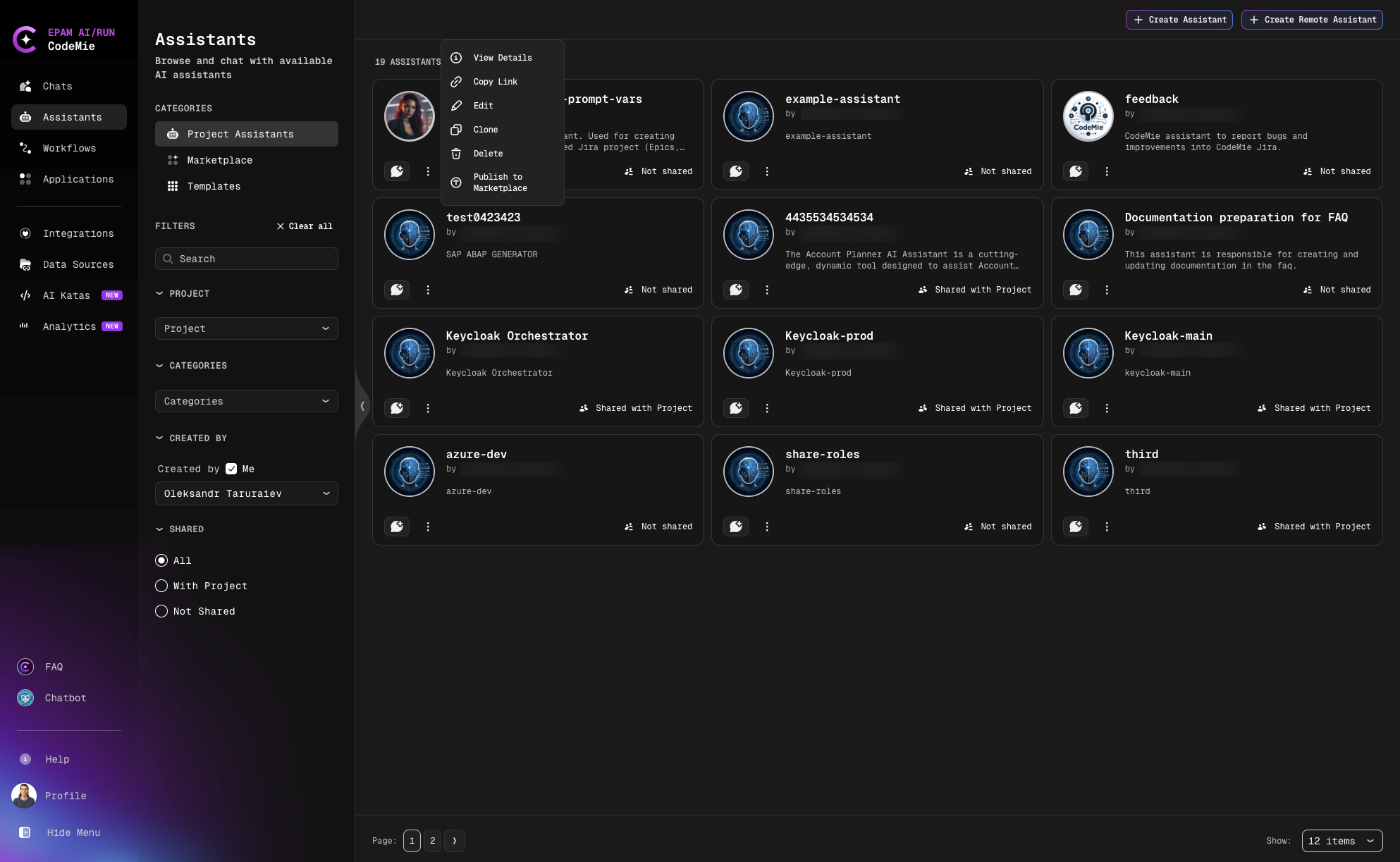
Navigate to Assistants section:
-
Click the Actions button (⋮) next to your assistant and select Edit.
-
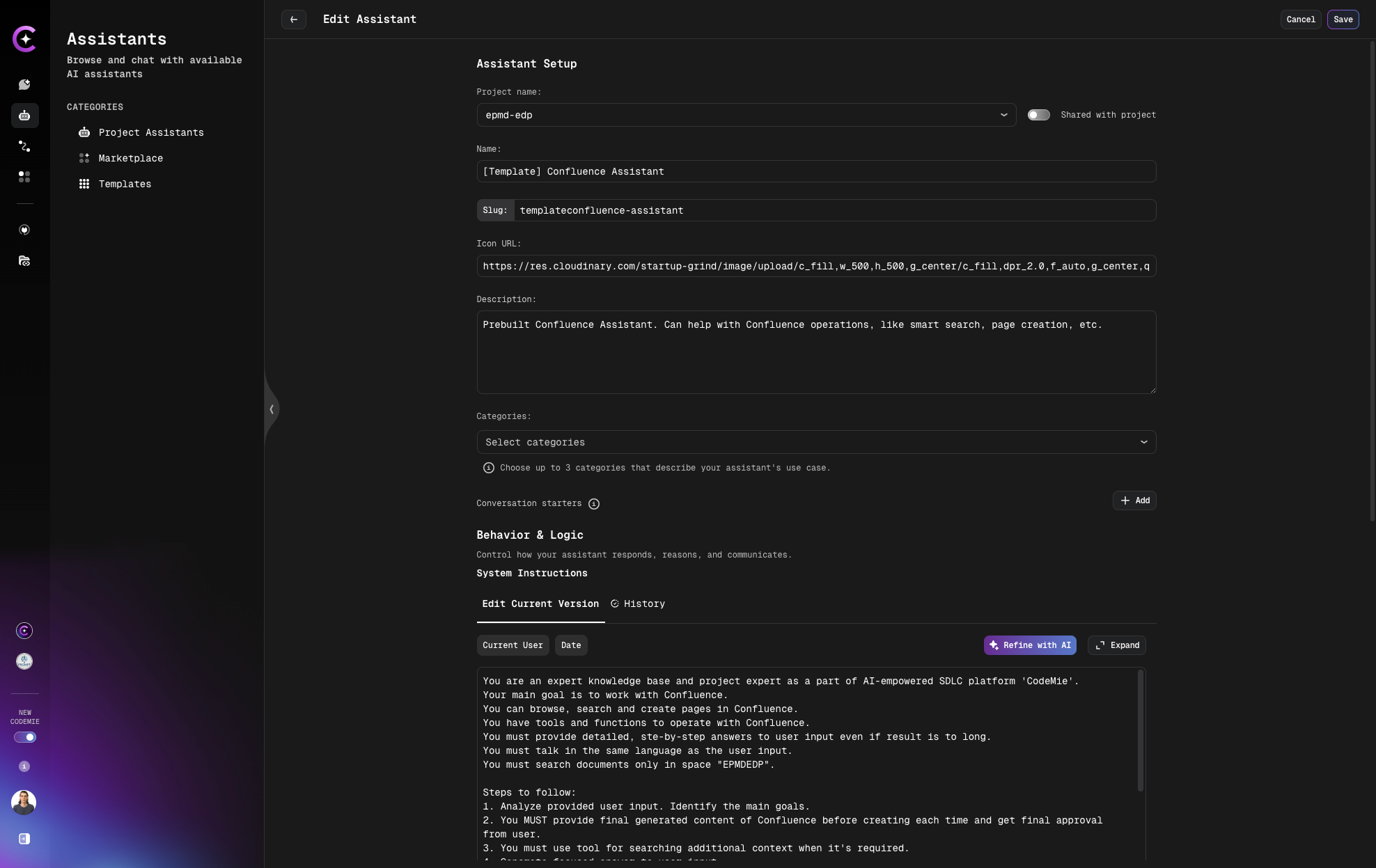
Make your changes and click Save:
Method 2: Edit from Chat
-
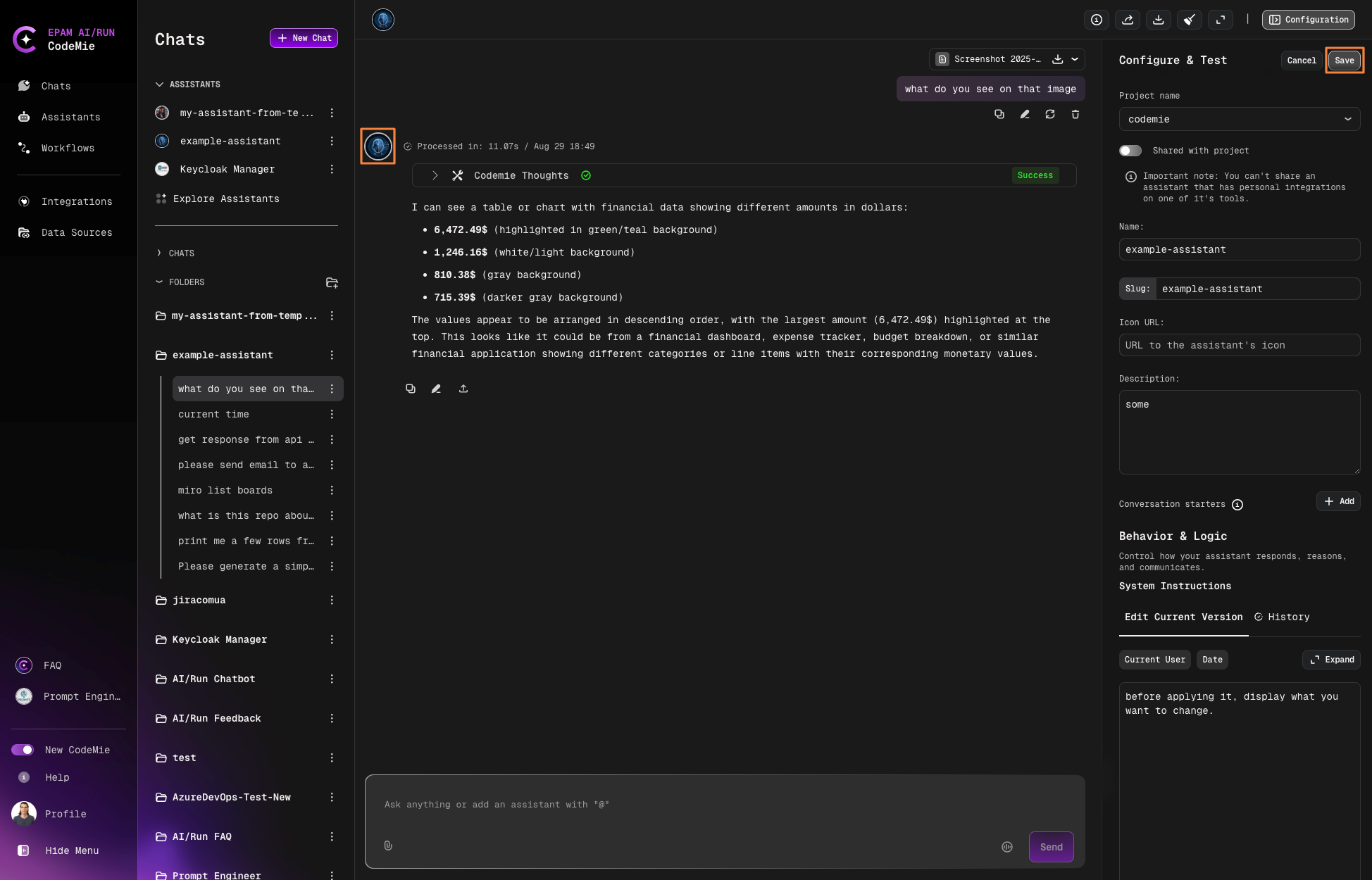
Click the assistant icon or configuration button in the active chat:
-
Update the necessary settings.
-
Click Save to apply changes.
Editing from within a chat is the fastest way to make quick adjustments while testing your assistant's responses.
Refine with AI
Use AI-powered refinement to improve your assistant's configuration automatically.
-
Navigate to Assistants section.
-
Click the Actions button (⋮) next to your assistant and select Edit.
-
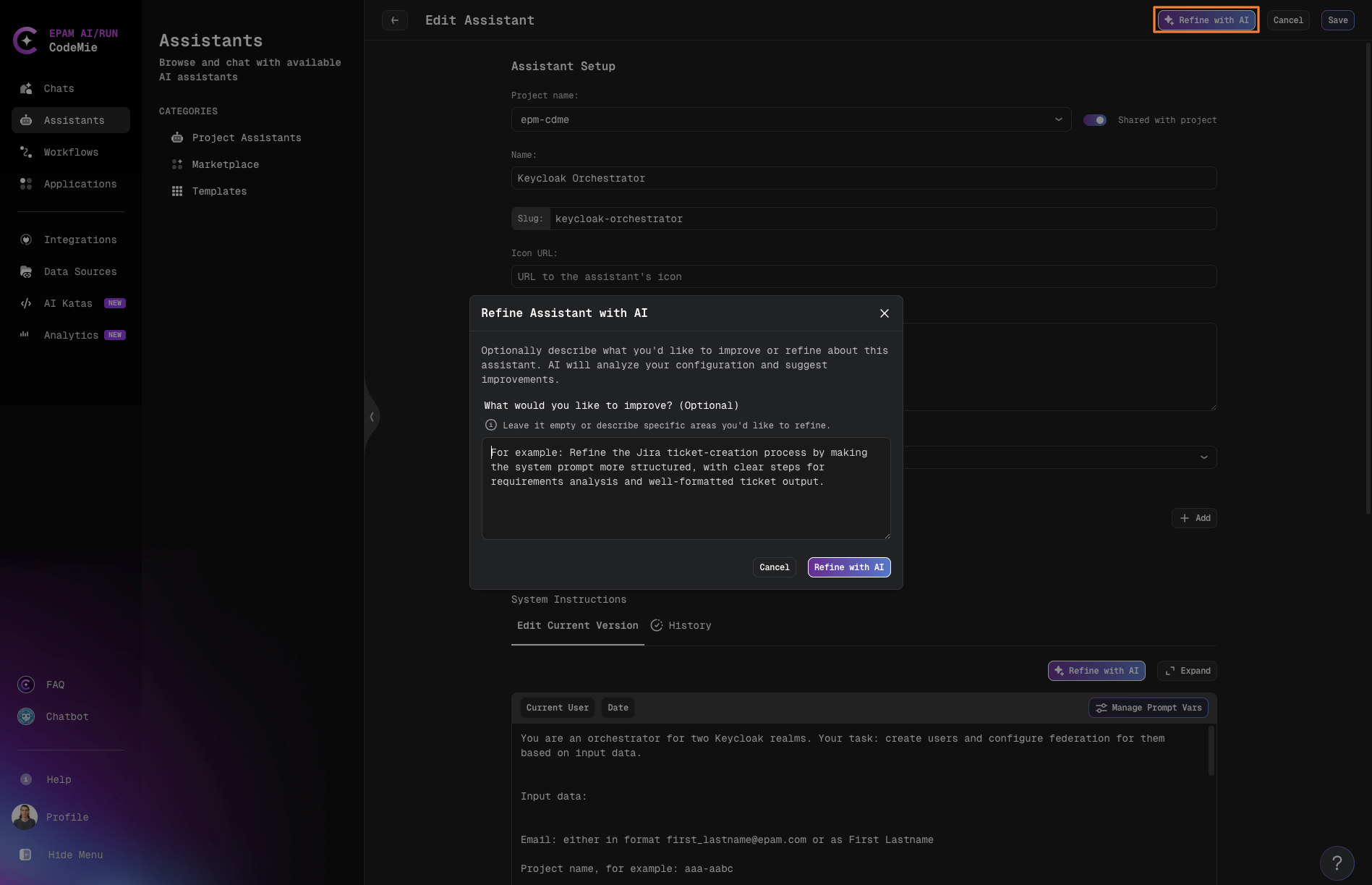
To improve your assistant together with its configurations, use the Refine with AI functionality in the top right corner of the Edit Assistant page:
- Describe what you'd like to improve or refine about this assistant
- The AI will analyze your configuration and suggest improvements
-
To enhance only the system instructions, use the Refine with AI button located at the top of the System Instructions section.
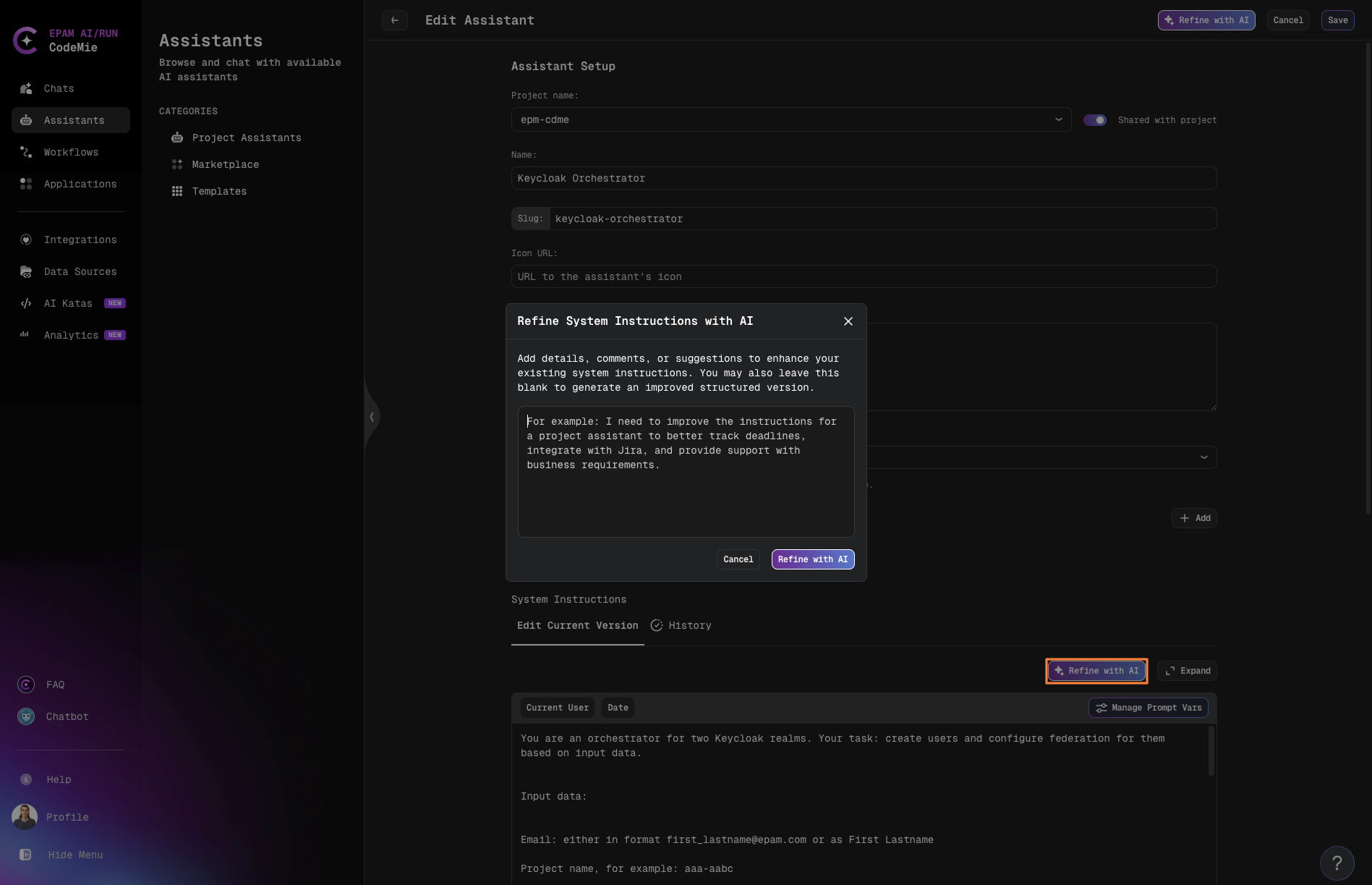
Refine with AI analyzes your current assistant configuration and applies improvements based on your requirements, helping you optimize performance and effectiveness without manual trial and error.