Assistant Categories Management
Organize marketplace and project assistants using categories for better structure and filtering.
Access Required
This functionality is only available to users with the isAdmin permissions.
Category Interface
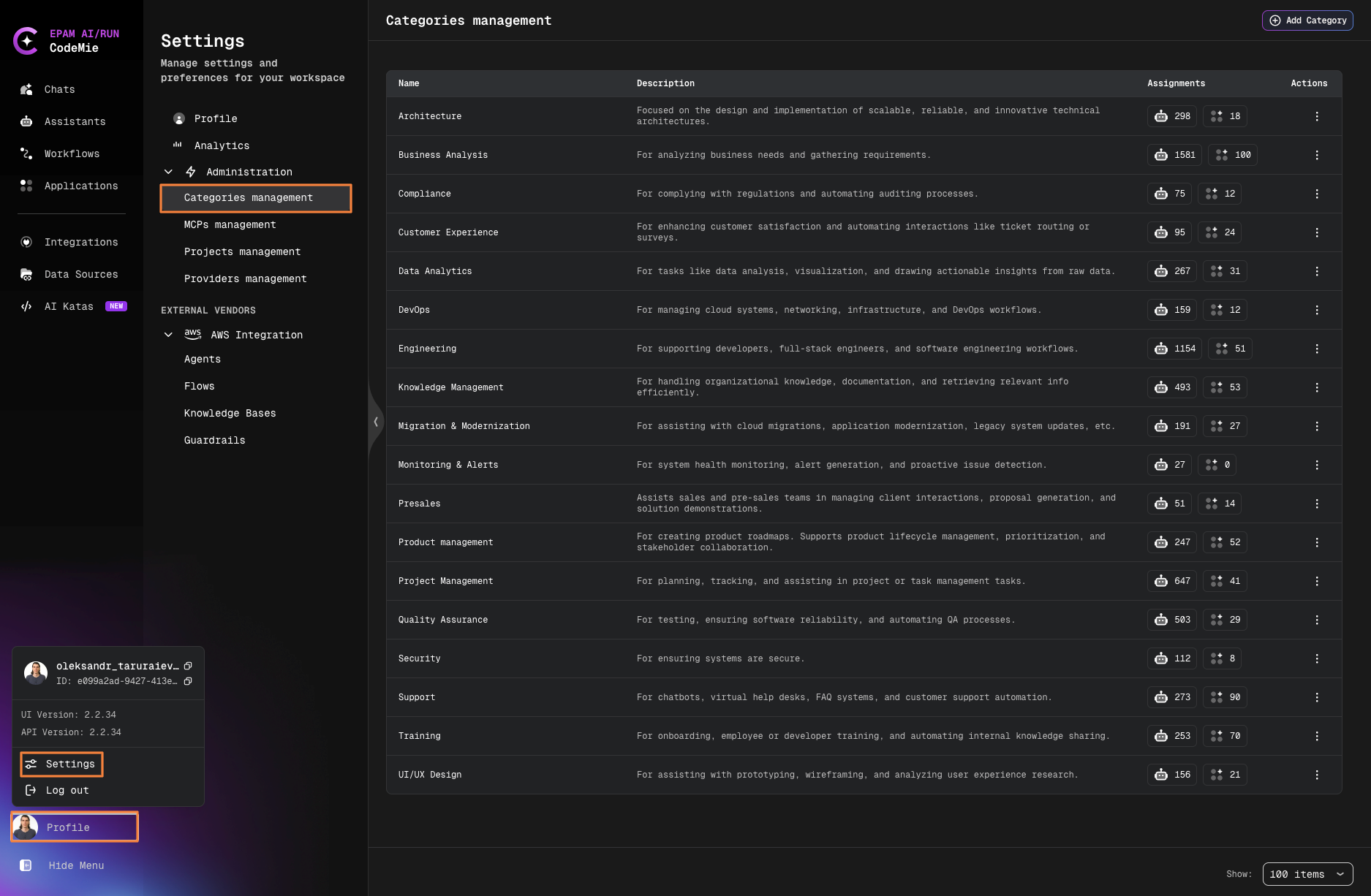
Each category displays:
- Category Name
- Assistant Count (separated by type):
- Marketplace: Clickable count - opens filtered list of marketplace assistants
- Personal: Display-only count of personal/project assistants
- Actions: Edit and Delete buttons
Create/Edit Category
- Click Add Category
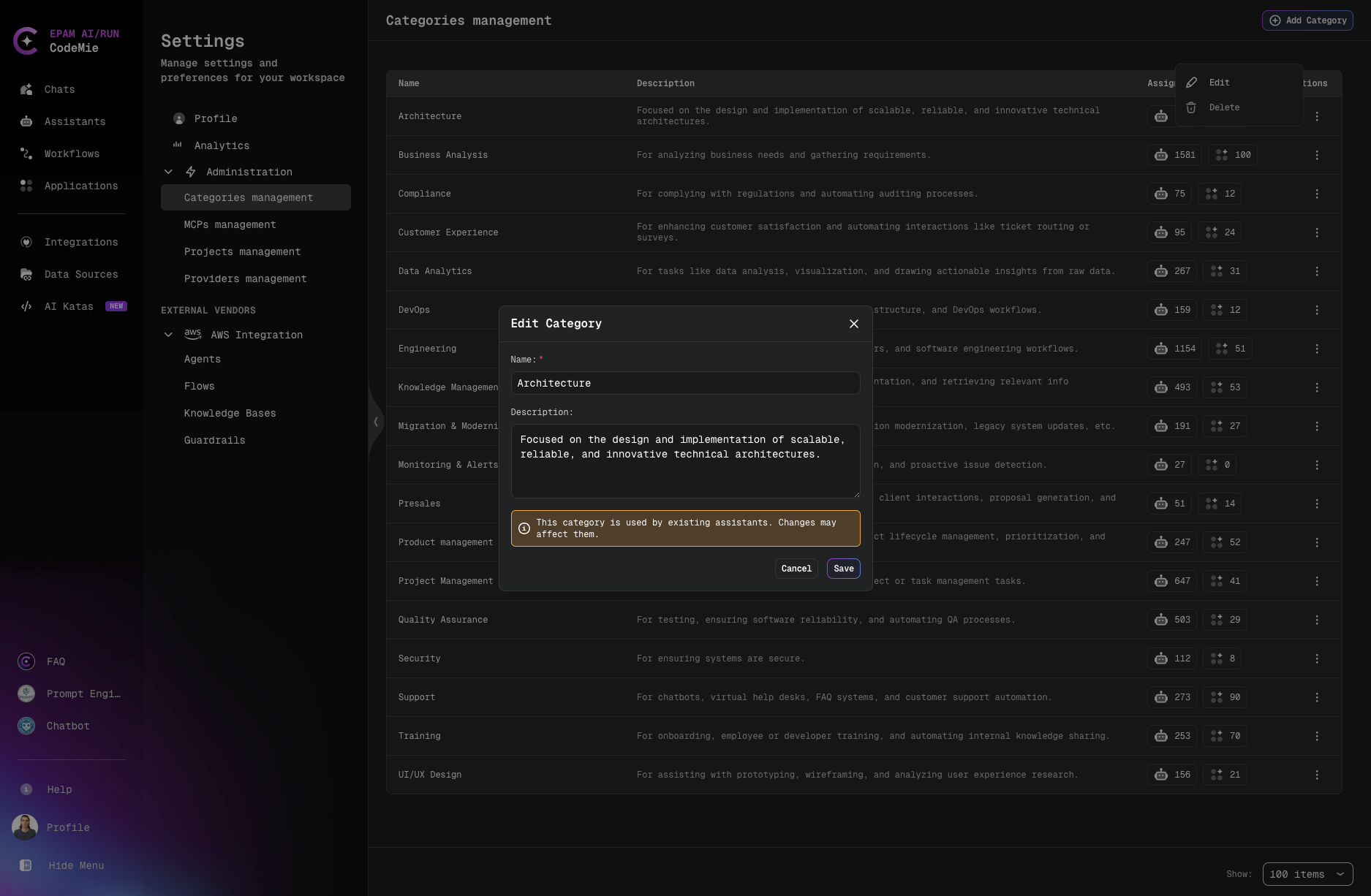
- Enter:
- Category Name (required)
- Description (optional)
- Click Create/Save
warning
When editing a category with assigned assistants, a warning displays showing:
- Number of assistants that will be affected
- Reminder that changes may impact assigned assistants
Delete Category
Delete is disabled for categories with any assigned assistants.
To delete:
- Reassign all assistants to other categories
- Click Delete button (trash icon)
- Confirm deletion