Dynamic Customer Configuration
Dynamic customer configuration lets platform administrators change selected customer configuration components at runtime from the Customer Configuration page in Administration. A saved change reaches all users and the backend without a restart or a redeploy.
Components that are not declared as dynamic keep working exactly as before: they are configured only through customer-config.yaml and do not appear on the page.
Prerequisites
- The user has the platform
adminrole or themaintainerrole. Project administrators cannot view or change dynamic configuration. - The component is present in
customer-config.yaml. The YAML value is the deployment default that the page displays until an override is saved.
Access the Customer Configuration Page
- Open Settings from the profile menu.
- Select Administration → Customer Configuration.
The page shows one card per dynamic component. Each card contains:
- The setting name and a short description.
- A status marker: Default from config when the value comes from
customer-config.yaml, or Overridden when a runtime value is stored. - A form with the editable fields, prefilled with the value currently in effect.
- Save and, for an overridden setting, Reset to default.
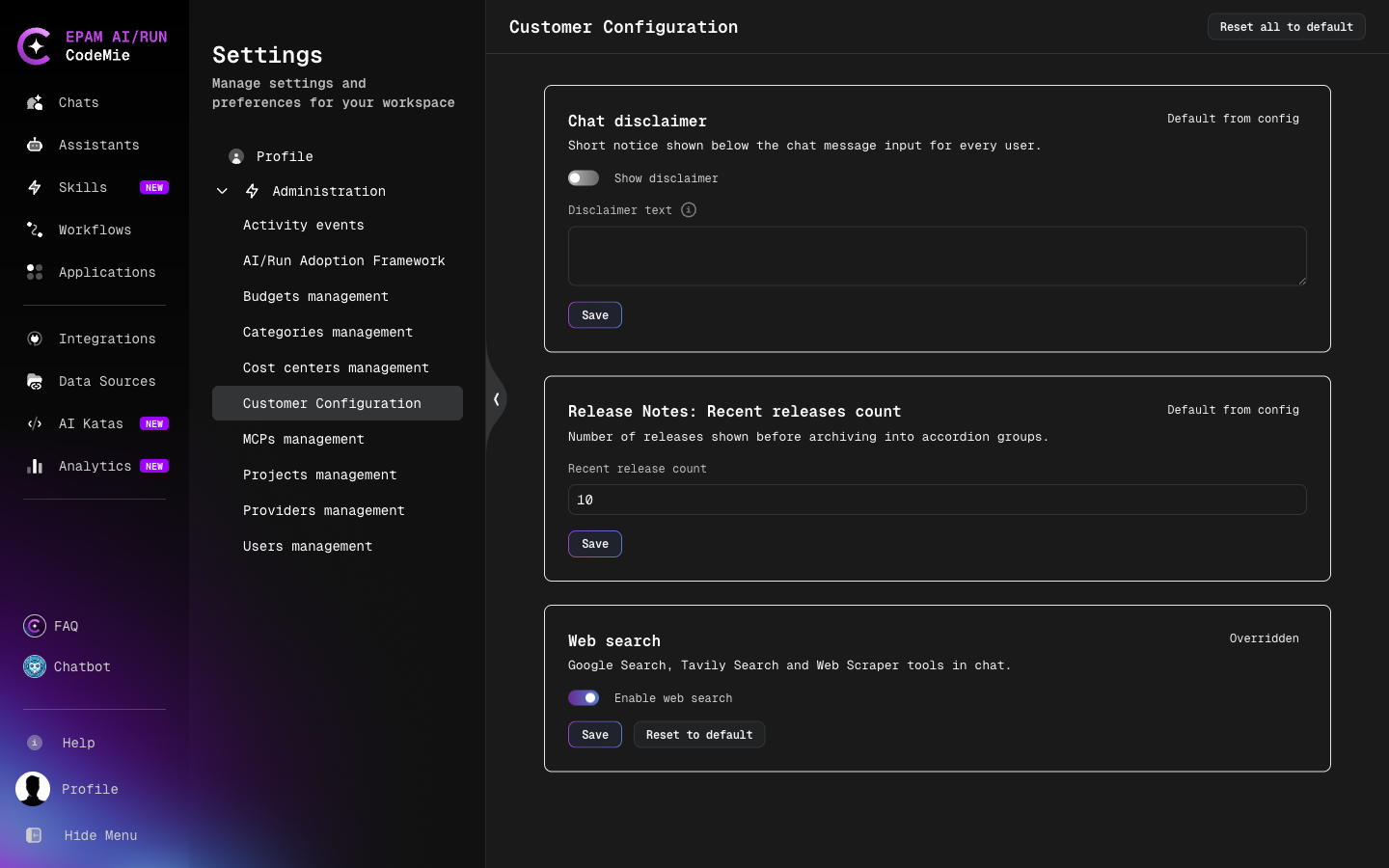
When no components are declared as dynamic, the page shows the message "No dynamic settings are declared yet."
Change a Setting
- Edit the fields on the setting card.
- Click Save.
The value is validated before it is stored. A value that exceeds the maximum length, does not match the expected format, or contains a link with a javascript:, data:, or vbscript: scheme is rejected, and nothing is saved. Markdown in the chat disclaimer is sanitized on save.
After saving, the card shows Overridden and a Reset to default button.
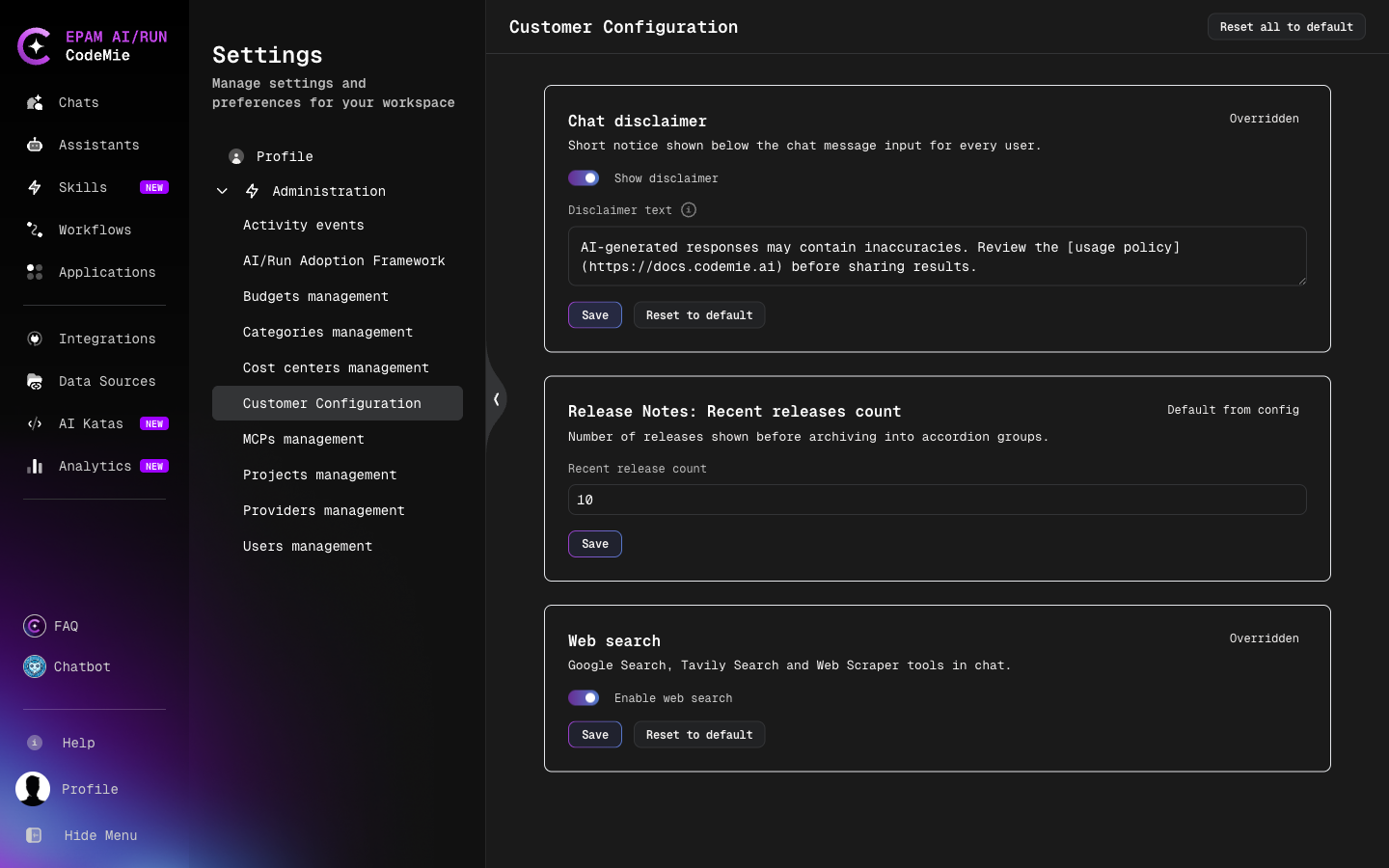
Save stores every field shown on the card, including fields that were not edited. From that moment these fields no longer follow customer-config.yaml across deployments. Use Reset to default to return the component to the deployment default.
Reset a Setting
- Reset to default on a card removes the override for that component. The value comes from
customer-config.yamlagain and keeps following later deployments. - Reset all to default in the page header removes every override on the page.
The deployment default is never copied into the database, so resetting never leaves a stale copy behind.
Available Dynamic Settings
| Component ID | Setting on the page | What it is |
|---|---|---|
chatDisclaimer | Chat disclaimer | Short notice below the chat message input for every user |
banner | Banner | Dismissible announcement across the top of the application, with an optional link |
features:webSearch | Web search | Web search tools for assistants in chat (Google Search, Tavily Search, Web Scraper) |
releaseNotesRecentCount | Release Notes: Recent releases count | Number of latest releases listed on the Release Notes page before older ones are grouped |
Deployment defaults for these components are set in customer-config.yaml — see the full example in Customer Feature Configuration.
The banner component replaces bannerMessage, bannerLinkLabel, and bannerLinkRoute, which are no longer read. Values do not carry over: replace the legacy entries in customer-config.yaml with a single banner entry (enabled, message, linkLabel, linkRoute), or set the banner on the Customer Configuration page after the upgrade.
How Values Are Resolved
For each field of a component, CodeMie uses the first available value:
- A runtime-computed value, for components the platform calculates itself. Such components cannot be overridden.
- The dynamic override, if it contains that field.
- The value from
customer-config.yaml.
Consequences of this per-field rule:
- An override of
enabledcan turn on a component that is disabled incustomer-config.yaml, and turn off one that is enabled. - Fields that are not shown on the card, such as a component's
nameordescription, always come fromcustomer-config.yaml. - The same resolved value is used by the
/v1/configendpoint that the UI reads and by backend feature checks.
When Changes Take Effect
- The API instance that handles the save applies the change immediately.
- Other API instances pick up the change within the cache interval set by
CUSTOMER_CONFIG_CACHE_TTL_SECONDSin thecodemie-apiconfiguration (default:60seconds). - Browser tabs that are already open show the new value after a page reload; new sessions receive it automatically.
- An API instance loads the stored overrides during start-up, before it serves requests, so a restart or a new deployment does not temporarily fall back to
customer-config.yamlvalues.
If the database is temporarily unreachable, the last loaded values keep being served; if none were loaded, the values from customer-config.yaml are used.
Audit
Every save and reset is recorded in the platform activity log with the user who made the change, the time, the component, and the old and new values.
API Reference
| Method | Endpoint | Access | Description |
|---|---|---|---|
GET | /v1/config | Public | Customer configuration with dynamic overrides already applied |
GET | /v1/config/declarations | admin, maintainer | Dynamic components with their fields, current values, and override status |
PUT | /v1/config/declarations/{component_id} | admin, maintainer | Save an override; the request body carries the complete settings object |
DELETE | /v1/config/declarations/{component_id} | admin, maintainer | Remove the override and return to the deployment default |
The response format of /v1/config is unchanged by dynamic configuration, so existing consumers need no changes.