Salesforce DevForce AI
Part of the CodeMie Enterprise package, and may not be enabled on every deployment. If this capability is missing from the UI described below, contact the CodeMie platform administrator. See all Enterprise features.
Salesforce DevForce AI is an AI-powered development accelerator designed to streamline and enhance Salesforce development workflows. This extension provides intelligent assistance for Salesforce-related development tasks.
Salesforce DevForce AI Requirements
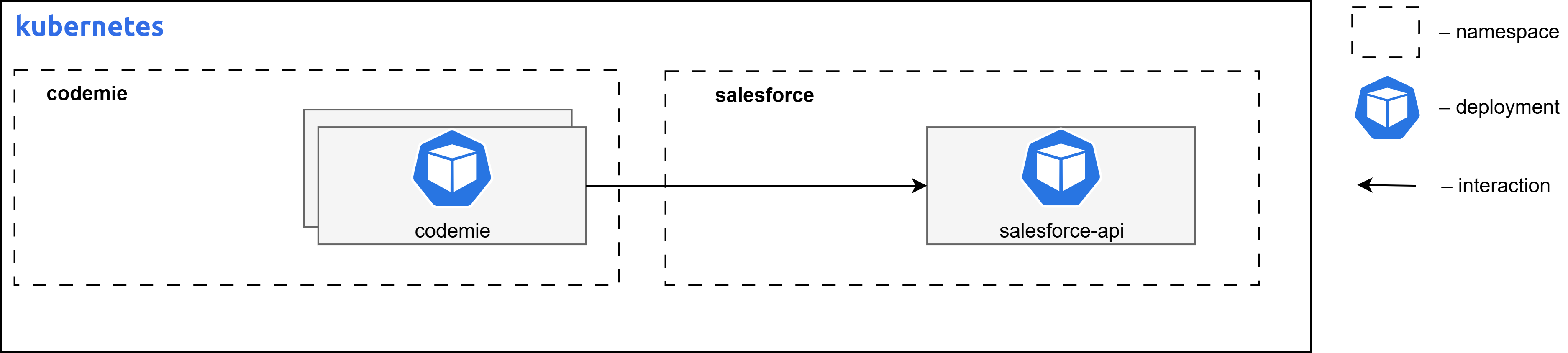
The diagram below depicts the Salesforce DevForce AI deployed on Kubernetes infrastructure within a cloud environment.
Container Resource Requirements
| Component Name | Replicas | Memory | CPU (cores) |
|---|---|---|---|
| salesforce-accelerator | 1 | 256Mi | 0.1 |
Install Salesforce AI Extension Component
Follow these steps to install the Salesforce DevForce AI extension:
Step 1: Configure Values File
Fill in missing values in values.yaml file in codemie-helm-charts/codemie-extensions/salesforce-accelerator by replacing %%DOMAIN%% with your domain name, e.g., airun.example.com.
Step 2: Install Helm Chart
Install the salesforce-accelerator Helm chart in the created namespace, applying the custom values file with the following command:
helm upgrade --install salesforce-accelerator oci://europe-west3-docker.pkg.dev/or2-msq-epmd-edp-anthos-t1iylu/helm-charts/salesforce-accelerator \
--version x.y.z \
--namespace "codemie" \
-f "./codemie-extensions/salesforce-accelerator/values-<cloud_name>.yaml" \
--wait --timeout 180s
Step 3: Access the Application
AI/Run CodeMie UI can be accessed by the following URL:
- URL Pattern:
https://codemie.%%DOMAIN%%/salesforce-accelerator-api/ - Example:
https://codemie.airun.example.com/salesforce-accelerator-api/
Next Steps
- Return to Extensions Overview
- Configure other extensions