Initial Realm Setup
This is a one-time configuration step that must be completed before creating any users. It enables Keycloak to store custom attributes required for AI/Run CodeMie's project access control system.
Configuration Steps
Follow these steps to enable unmanaged attributes in the Keycloak realm:
1. Open the Keycloak Console
Navigate to your Keycloak admin console URL (typically https://keycloak.<your-domain>/auth/admin/).
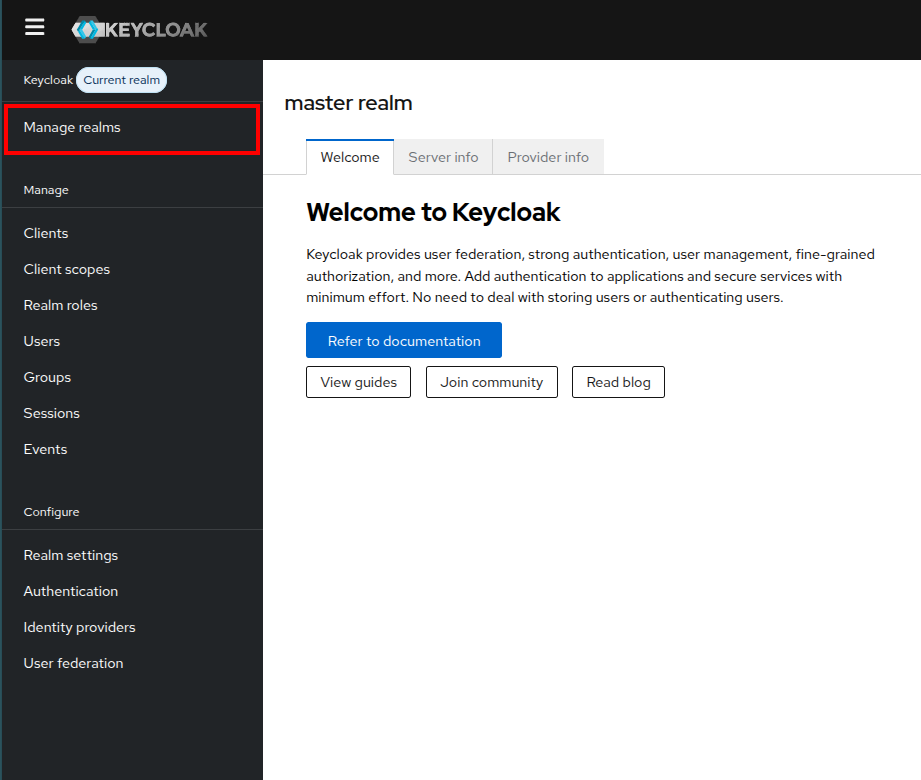
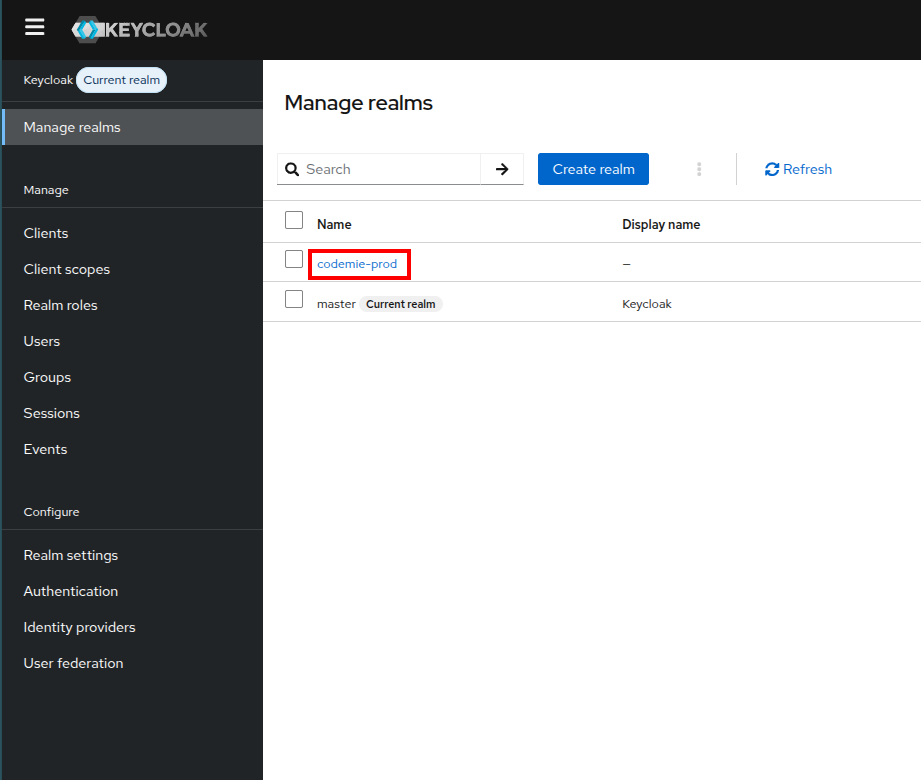
2. Select the Correct Realm
Click on the Manage realms at the top left corner of the interface. And select codemie-prod realm.
3. Navigate to Realm Settings
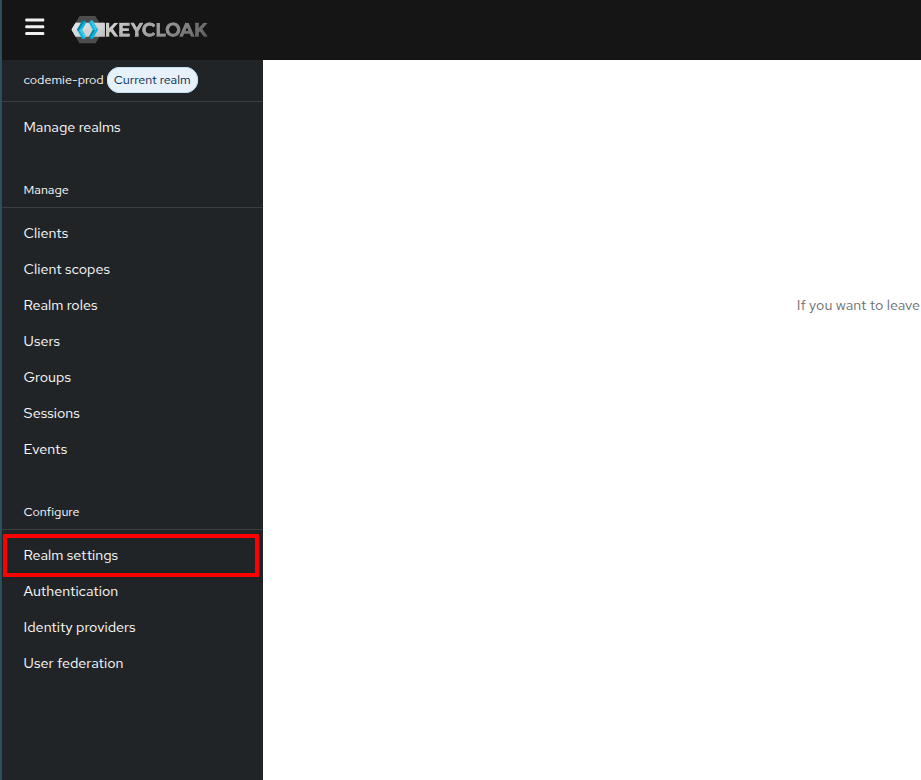
Click on Realm Settings in the left sidebar menu.
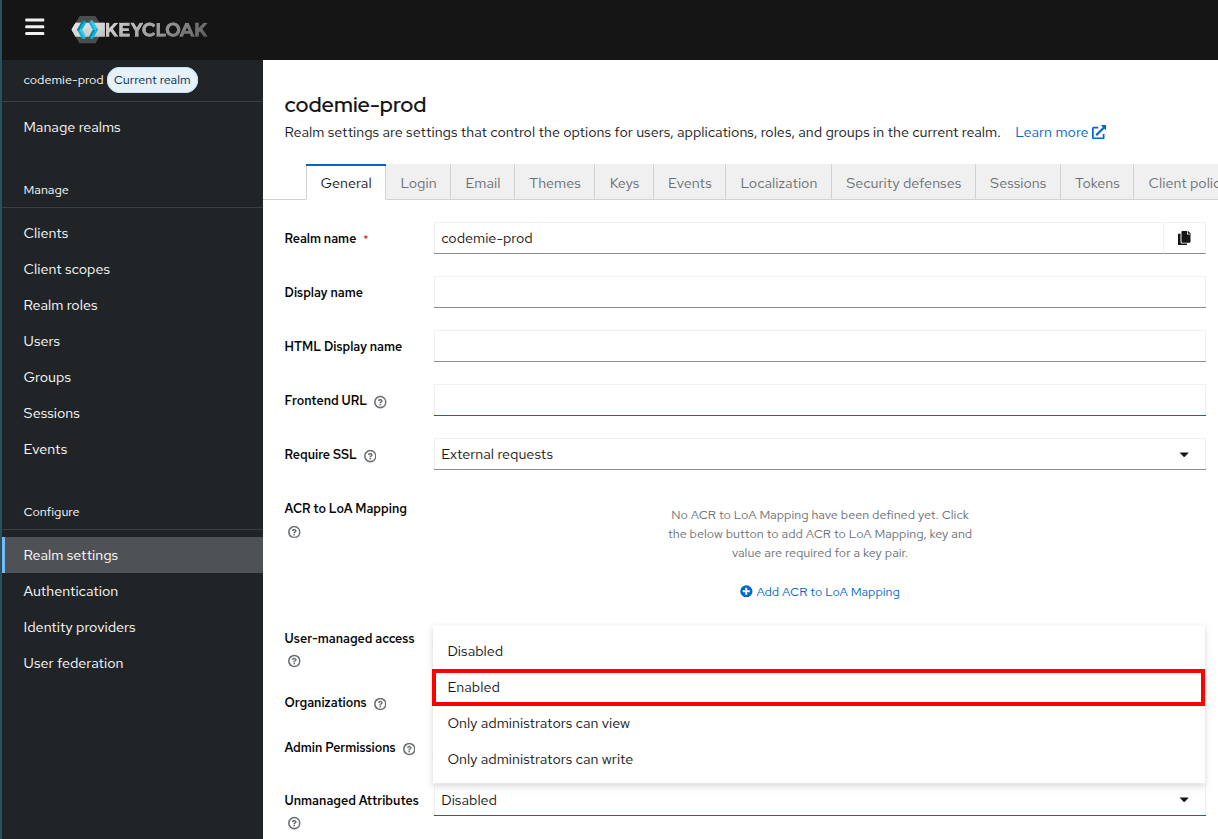
4. Enable Unmanaged Attributes
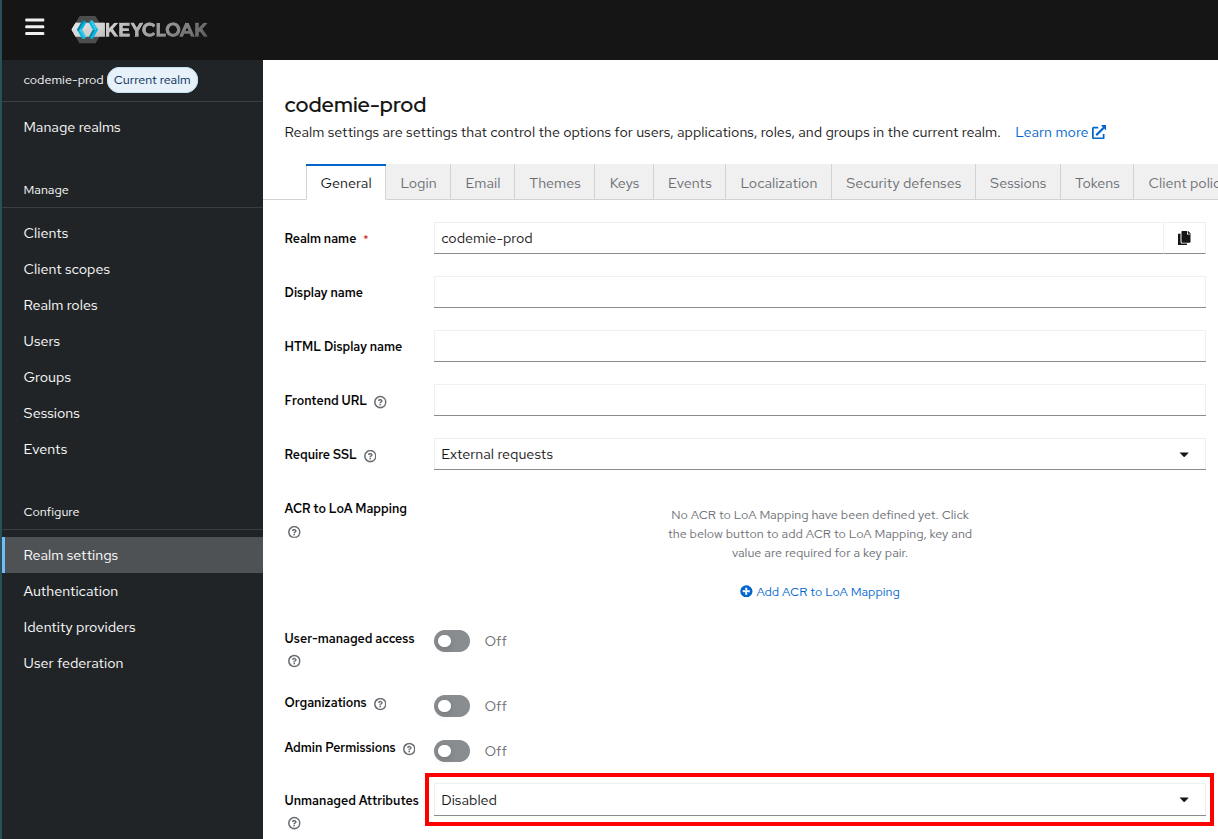
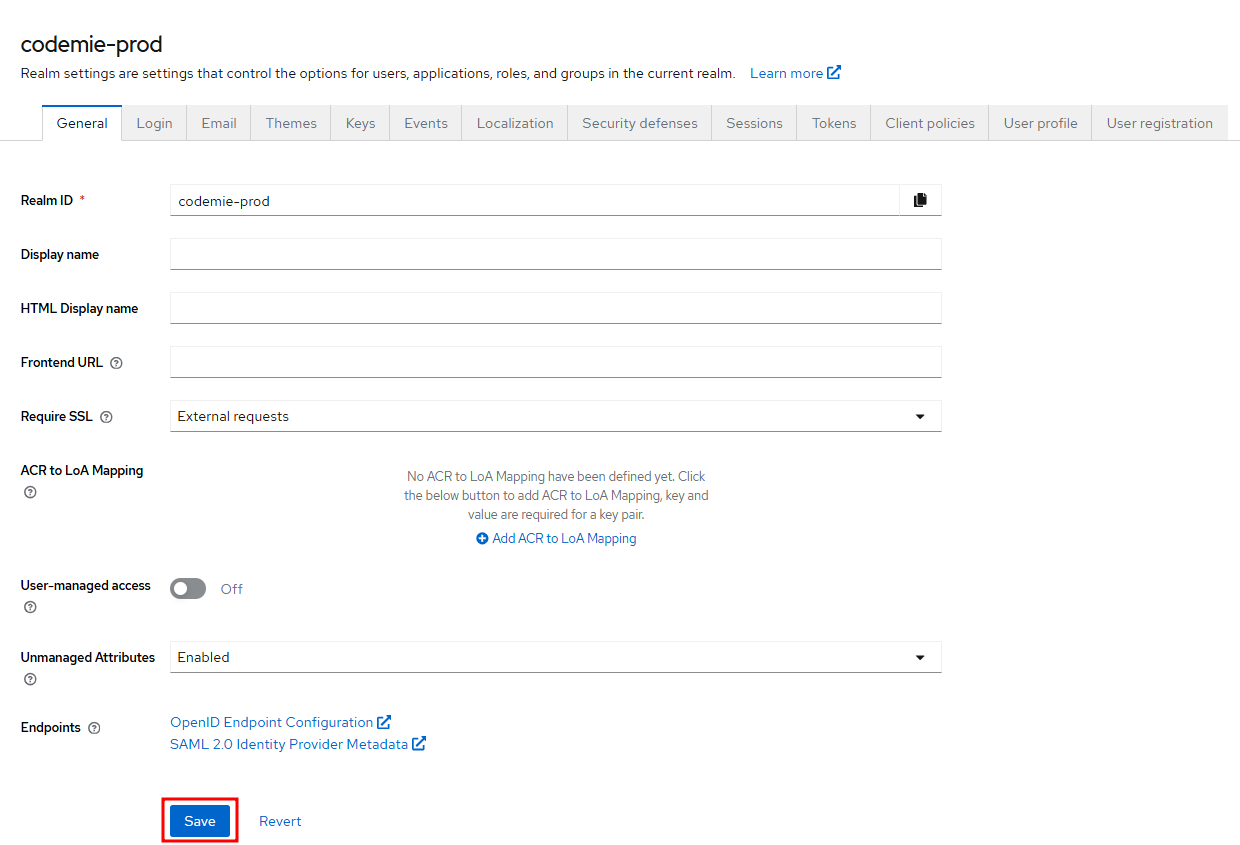
- Scroll down to find the Unmanaged Attributes parameter
- Select Enabled from the dropdown
- Click Save to apply the changes
Next Steps
With realm setup complete, you can now proceed to:
- User Provisioning - Create users using your preferred method
- If you already have users created, proceed to User Authorization