On VM Deployment Architecture
This page describes the infrastructure and application architecture of CodeMie On VM.
Infrastructure Overview
CodeMie On VM runs on a single EC2 instance with supporting AWS services. Terraform provisions the following resources depending on the network mode:
- IP Mode (default)
- Domain Mode (ALB + ACM)
- Private IP Mode
Direct access to the EC2 instance via Elastic IP:
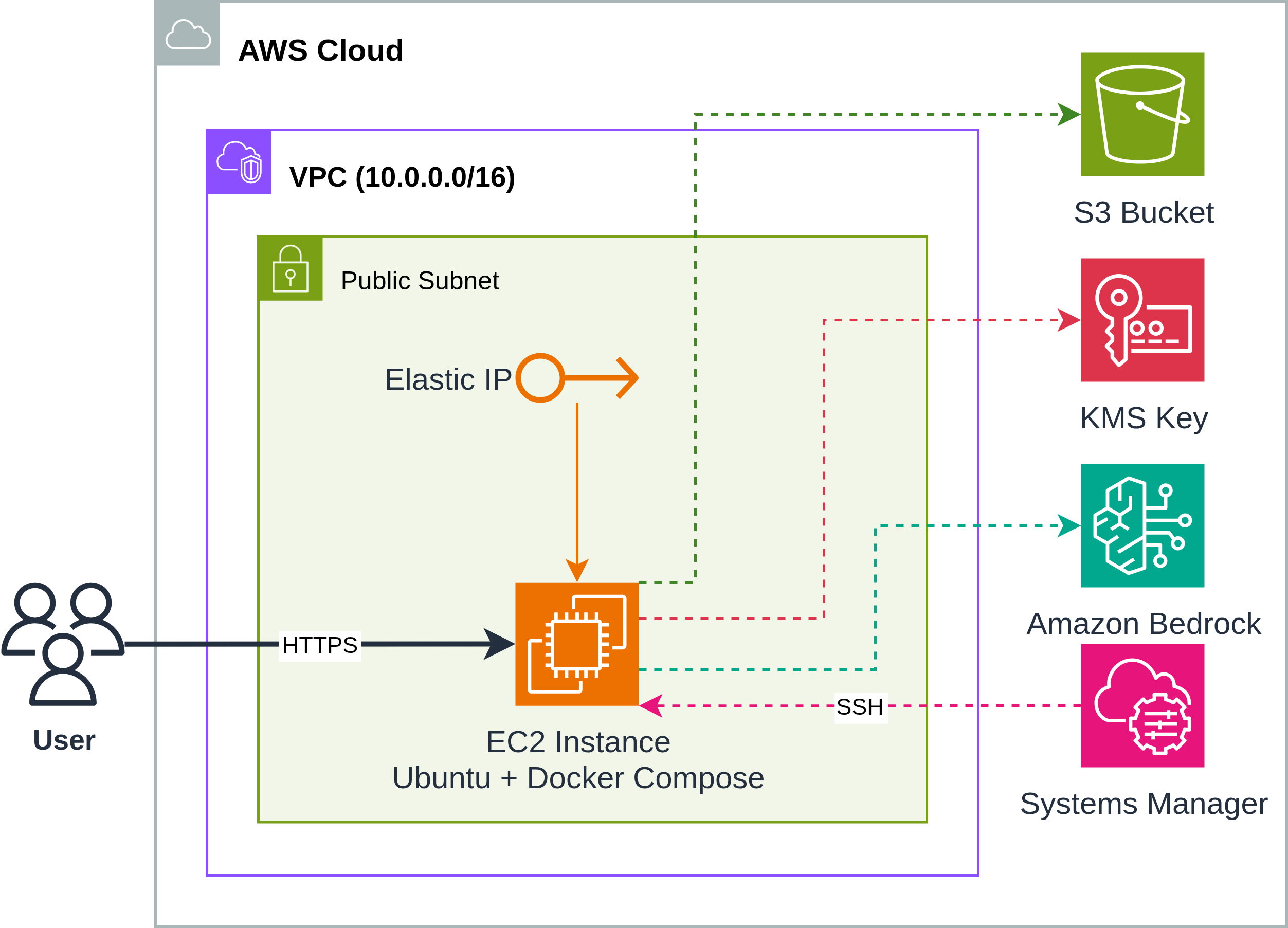
When TF_VAR_platform_domain_name is configured, an ALB with trusted TLS certificate is created:
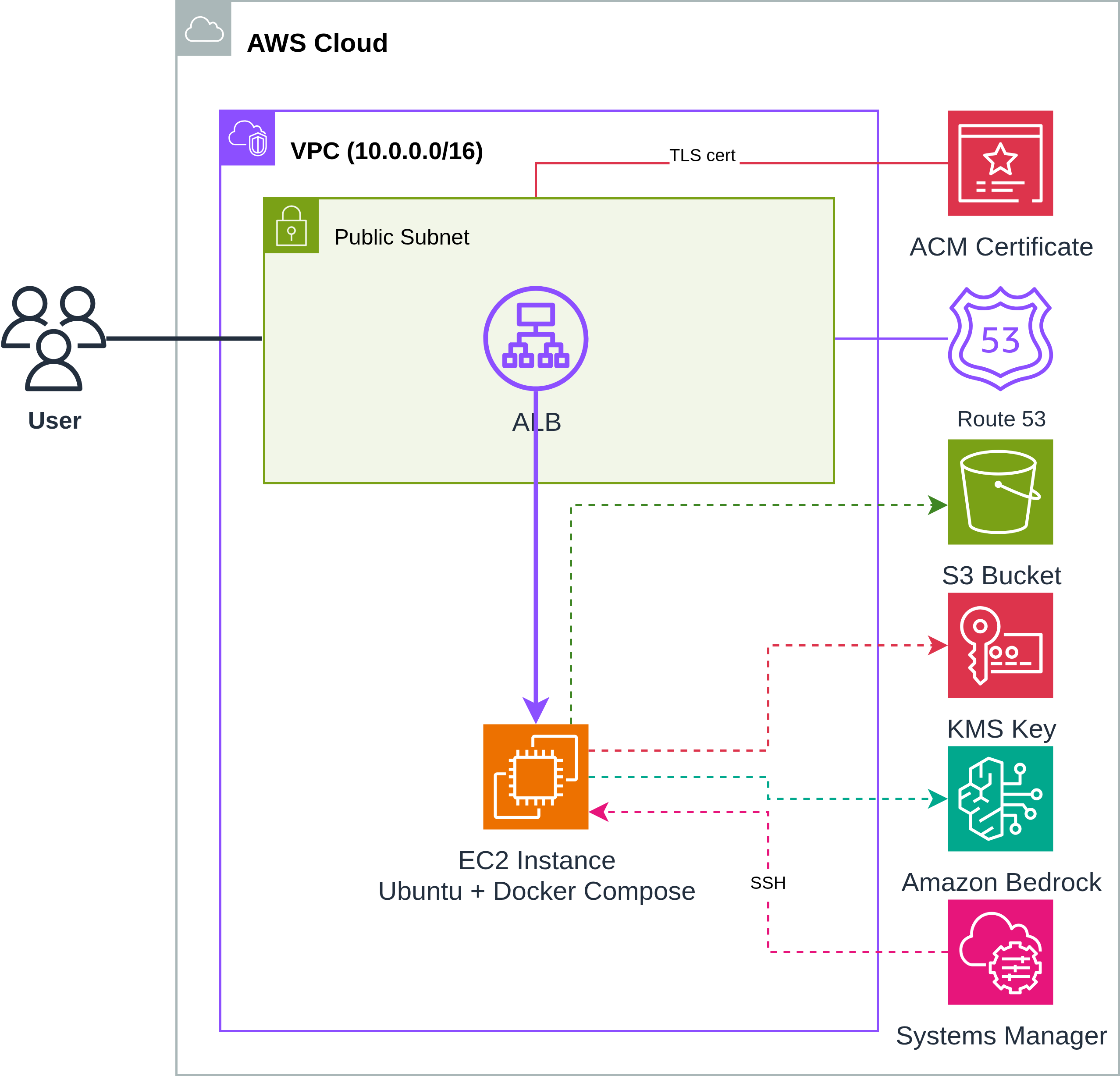
When TF_VAR_private_ip_only=true, EC2 is placed in a private subnet with NAT Gateway for outbound traffic. Access is via VPN, AWS Workspaces, or some other available VM:
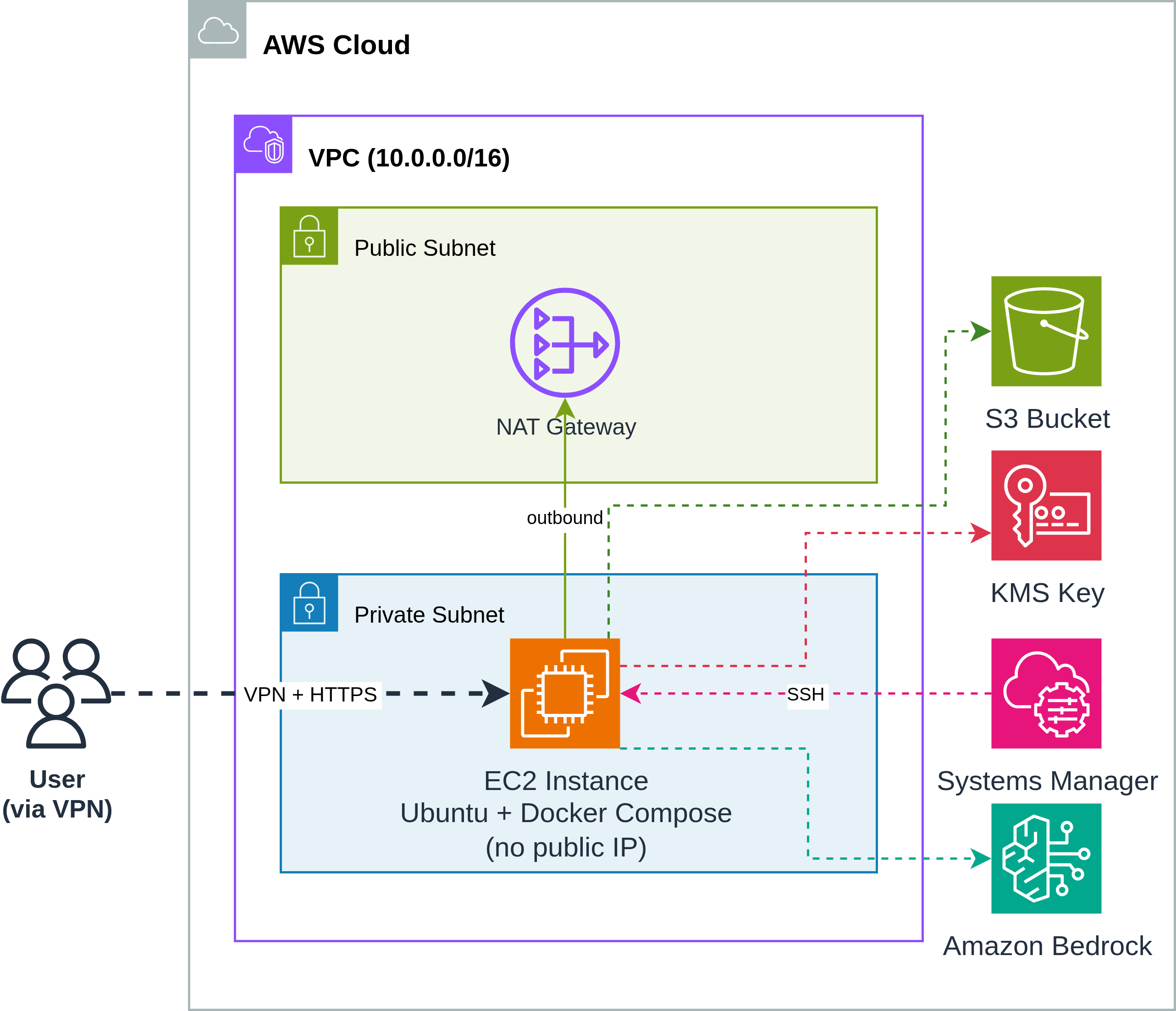
AWS Resources
| Resource | Purpose |
|---|---|
| VPC | Isolated network with public subnets (+ private if private_ip_only) |
| EC2 Instance | Single instance running Docker Compose (Ubuntu, r5.xlarge default) |
| Elastic IP | Static public IP for the EC2 instance |
| S3 Bucket | Persistent storage for user data (repos, files) |
| KMS Key | Encryption key for S3 data at rest |
| ALB | Application Load Balancer with TLS (if domain configured) |
| ACM Certificate | Trusted TLS certificate for the domain (if domain configured) |
| Route 53 Record | DNS A record pointing to ALB (if domain configured) |
| SSM Parameter | Stores EC2 SSH private key securely |
| Security Groups | Controls inbound traffic to ALB and EC2 |
| IAM Instance Profile | Grants EC2 access to Bedrock, S3, KMS, SSM |
Network Modes
| Mode | Configuration | Access |
|---|---|---|
| Public IP (default) | TF_VAR_private_ip_only=false | EC2 gets EIP, direct HTTPS access |
| Domain + ALB | TF_VAR_platform_domain_name="example.com" | ALB with ACM cert, Route 53 DNS |
| Private IP | TF_VAR_private_ip_only=true | No public IP, access via VPN only |
Application Architecture
All CodeMie services run as Docker containers on the EC2 instance, orchestrated by Docker Compose.
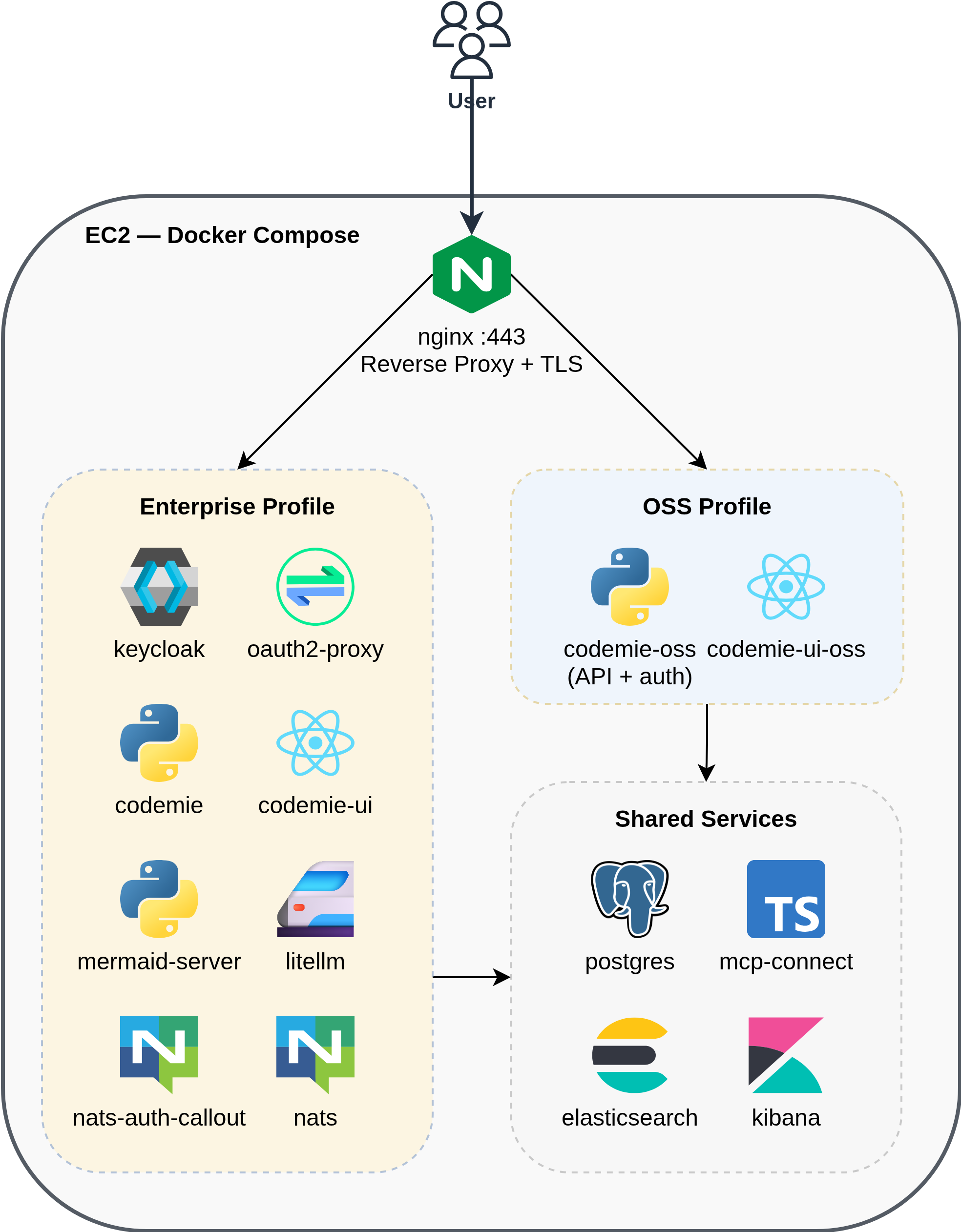
Services by Profile
Shared services (both profiles):
| Service | Image | Purpose |
|---|---|---|
| postgres | pgvector/pgvector:pg17 | Primary database for application data |
| elasticsearch | elasticsearch:8.x | Document storage and search for Data Sources |
| kibana | kibana:8.x | Log visualization and analytics for Elasticsearch |
| mcp-connect | codemie-mcp-connect-service | Connector for MCP servers |
| nginx | nginx:1.31-alpine | Reverse proxy, TLS termination |
OSS profile:
| Service | Purpose |
|---|---|
| codemie-oss | API server with built-in local authentication |
| codemie-ui-oss | Web frontend |
Enterprise profile:
| Service | Purpose |
|---|---|
| codemie | API server |
| codemie-ui | Web frontend |
| keycloak | Identity provider (SSO, OIDC) |
| oauth2-proxy | Authentication proxy in front of nginx |
| litellm | LLM proxy for model routing and key management |
| nats | Messaging for plugin engine |
| nats-auth-callout | NATS authentication service |
| mermaid-server | Diagram rendering |
Resource Requirements
Minimum EC2 Instance
| Resource | Minimum | Recommended |
|---|---|---|
| vCPU | 4 | 4 (r5.xlarge) |
| RAM | 16 GB | 32 GB |
| Disk | 50 GB | 100 GB (gp3) |
Next Steps
- Deployment — Deploy CodeMie On VM with Terraform