Logs Retention
This page describes how to manage retention for the infrastructure logs aggregated in Elasticsearch to prevent unbounded disk usage.
The logs-codemie-infra* index pattern has the built-in logs@lifecycle ILM policy
assigned, but that policy does not include a delete phase. Logs accumulate indefinitely
until you add a delete phase to the policy.
Log Indexes
| Index | Data | Default ILM policy | Default deletion |
|---|---|---|---|
logs-codemie-infra* | Infrastructure and application logs collected by Fluent Bit | logs@lifecycle | Not configured |
To enable automatic deletion, add a delete phase to the logs@lifecycle policy as
described below.
Configuring Retention with Index Lifecycle Management
Elasticsearch ILM automates index management through a series of phases. The
logs-codemie-infra* indexes already use the logs@lifecycle policy, but the delete
phase must be added manually to enable automatic removal.
Open the Kibana UI (Stack Management → Index Lifecycle Policies), find
logs@lifecycle, and edit it:
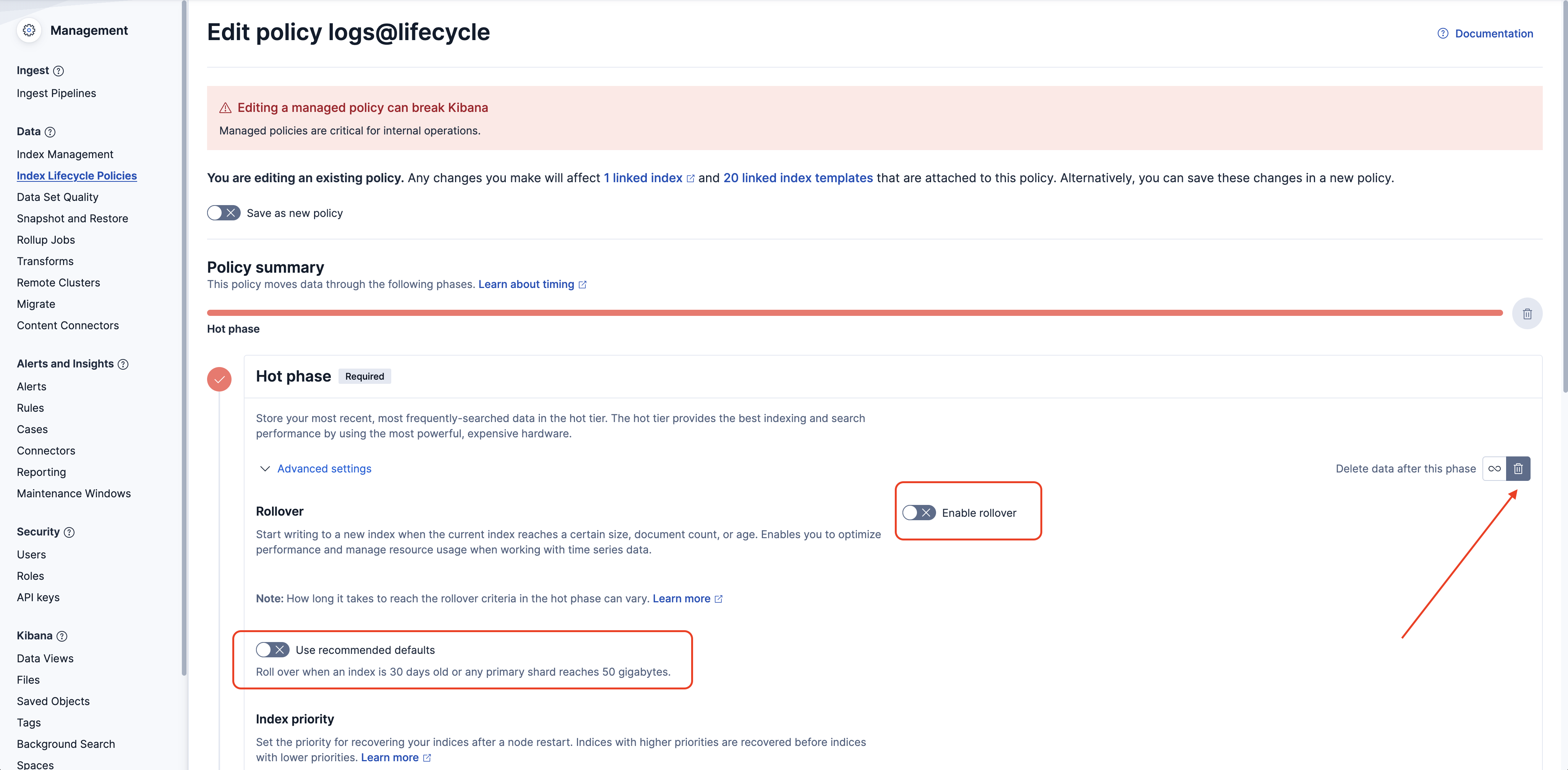
- Open "Advances Settings" for "Hot phase"
- Disable "Use recommended defaults"
- Disable "Enable rollover"
- Enable data deletion as shown on the screenshot below
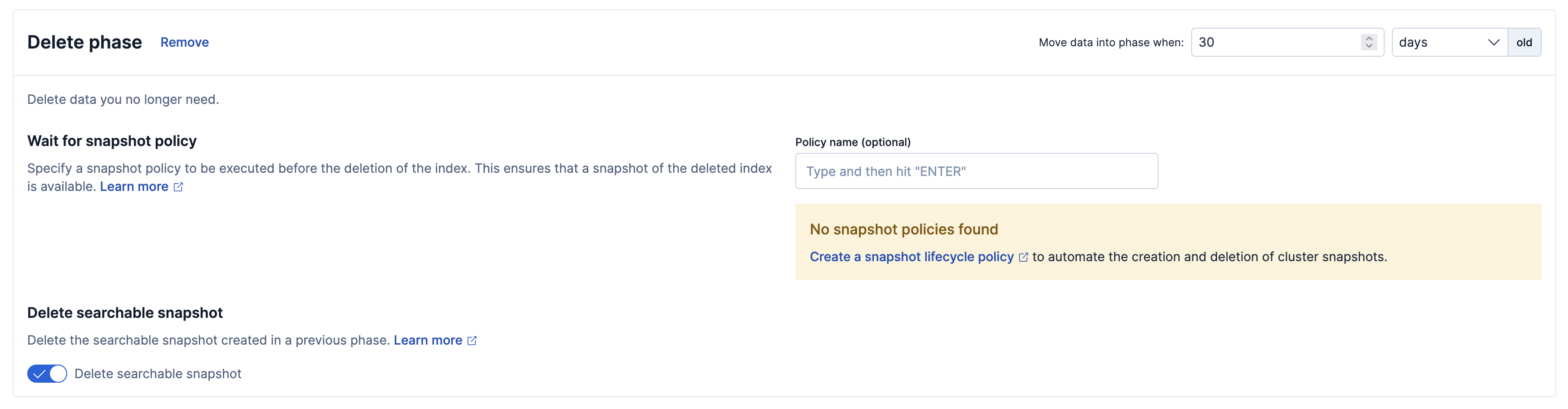
- Scroll down to the "Delete phase" and set desired count of days to keep log records.
- Save changes
Manual Cleanup
Earlier deployments used the codemie_infra_logs index pattern, which is now deprecated.
Check whether these indexes are still present and remove them if not needed:
- Open Stack Management → Index Management.
- Search for
codemie_infra_logs. - If any
codemie_infra_logs-<date>indexes exist, delete them.
Index deletion is irreversible.
Related
- Observability Overview — overview of the full observability stack
- API Configuration — full environment variable reference